概要信息:
射频电路测试原理
第十一讲 逻辑分析仪(LA)
leiyh@mail.tsinghua.edu.cn
射频电路测试原理 清华大学电子工程系 李国林 雷有华 2005春季学期2
参考文献
Agilent仪器说明书\16702B_逻辑分析系统\Service
Guide_16700-97015.pdf
..\Help Volume_16700AB_5988-9058EN
..\Logic Analysis System Modules_5988-9439EN
..\16700 Catalog_5968-9661E
..\16702B Front Panel_B3760-92003
..\Probing Solutions_5968-4632E
..\Installation Guide_16700-97023
..\LAN 16702B help Volume
..\Training Kit_16700_97020
射频电路测试原理 清华大学电子工程系 李国林 雷有华 2005春季学期3
内容
11.1 逻辑分析仪的基本结构
11.2 逻辑分析仪的基本原理
11.3 定时分析和状态分析
11.4 模式发生器
11.5 16702B触发系统综述
11.6 进行基本测量
第五次实验 逻辑分析仪的使用
第十一讲 逻辑分析仪小结
射频电路测试原理 清华大学电子工程系 李国林 雷有华 2005春季学期4
11.1 逻辑分析仪的基本结构
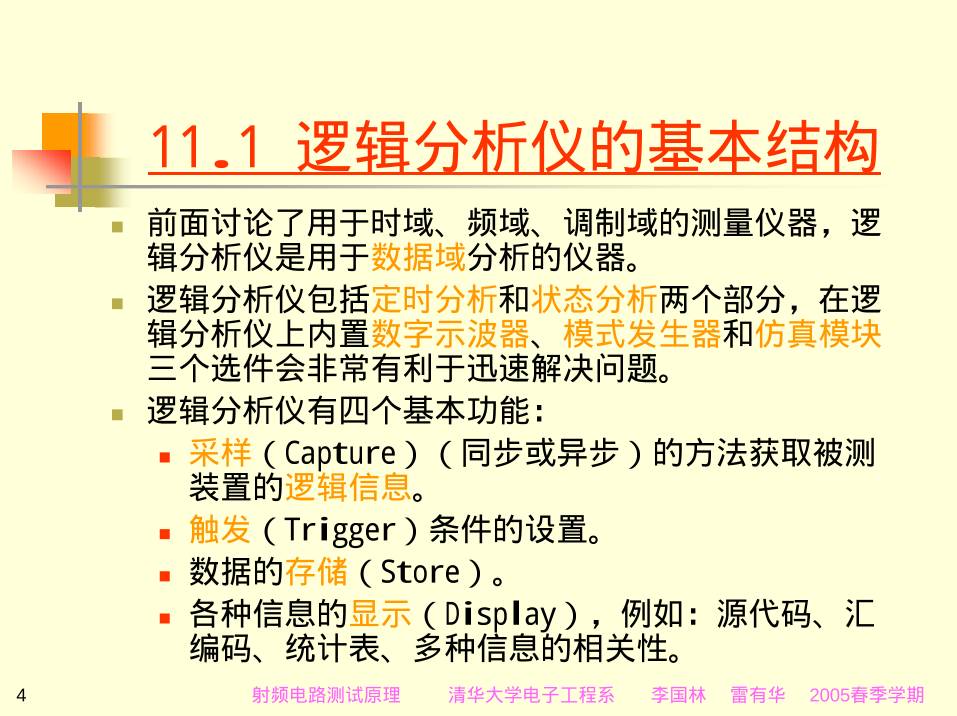
前面讨论了用于时域、频域、调制域的测量仪器,逻
辑分析仪是用于数据域分析的仪器。
逻辑分析仪包括定时分析和状态分析两个部分,在逻
辑分析仪上内置数字示波器、模式发生器和仿真模块
三个选件会非常有利于迅速解决问题。
逻辑分析仪有四个基本功能:
采样(Capture)(同步或异步)的方法获取被测
装置的逻辑信息。
触发(Trigger)条件的设置。
数据的存储(Store)。
各种信息的显示(Display),例如:源代码、汇
编码、统计表、多种信息的相关性。
射频电路测试原理 清华大学电子工程系 李国林 雷有华 2005春季学期5
基本结构(续1)
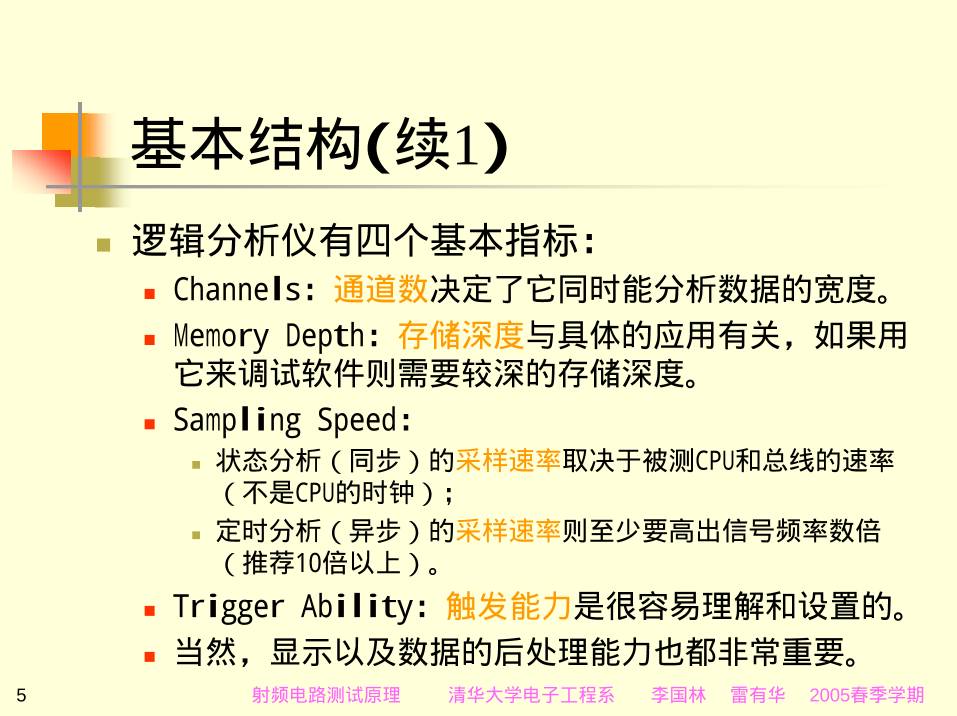
逻辑分析仪有四个基本指标:
Channels:通道数决定了它同时能分析数据的宽度。
Memory Depth:存储深度与具体的应用有关,如果用
它来调试软件则需要较深的存储深度。
Sampling Speed:
状态分析(同步)的采样速率取决于被测CPU和总线的速率
(不是CPU的时钟);
定时分析(异步)的采样速率则至少要高出信号频率数倍
(推荐10倍以上)。
Trigger Ability:触发能力是很容易理解和设置的。
当然,显示以及数据的后处理能力也都非常重要。
基本结构(续2)
本组现有的三种逻辑分析仪的主要指标如下表所示:
型号 E9340A 1673G 16702B
通道数 34 34 8160
状态速度 100MHz 135MHz 2Gsa/s
定时速度 250MHz 全通道250MHz 4Gsa/s
存储器深度 128K 64K 131M
探头 100K,8PF 100K,8PF 待讨论
触发 有12个序列级, 带10
个模式项;
2个跳变沿和毛刺项;
2个范围和定时器。
待讨论
16702B模块化逻辑分析系统
12吋LCD显示屏 触摸屏选择设置 专用菜单热键
显示位置热键 关触摸屏 标记热键
射频电路测试原理 清华大学电子工程系 李国林 雷有华 2005春季学期8
16702B前面
板与显示
Waveform
Display.
Listing Display.
Mixed Display.
Oscilloscape.
9
16702B后面板
10/100BaseT LAN并行打印端口
外接18GByte数据驱
动器或移动硬盘的
SCSI-II接口
40x CD-ROM
监视器接口
(选件 003)
可选用的仿真模块插槽或
多帧模块插槽
五
个
模
块
插
槽
(没有)
射频电路测试原理 清华大学电子工程系 李国林 雷有华 2005春季学期10
16702B主系统窗口
A.文件窗口
B.仪器图解
C.文件管理
D.运行
E.停止
F.系统显示
G.仪器配置显示
H.内部模块显示
I.运行状态显示
J.系统管理
K.处理器/总线设置
L.Demo
M.仪器的状态显示
N.帮助
O.仪器背盖板显示
Target Control Port
射频电路测试原理 清华大学电子工程系 李国林 雷有华 2005春季学期11
16702B文件窗口
射频电路测试原理 清华大学电子工程系 李国林 雷有华 2005春季学期12
16702B逻辑分析系统特点
Windows窗口、触摸屏和模块化的设计;
硬件工程师利用逻辑分析系统可以揭示与软件
相关的硬件问题,例如中断管理等;
软件工程师可得到调试和分析工具,它克服了
传统仿真器的缺点,提供解决与硬件相关的软
件问题的相关方法;
系统工程师得到的时间相关显示可示出从所有
模拟信号到源代码的系统活动;
逻辑分析系统的交叉域显示能揭示硬件与软件
的交互问题,帮助设计师迅速而准确地从现象
跟踪到问题的产生原因。
1673G台式
逻辑分析仪
通道数 34;
状态速度 135MHz;
定时速度 全通道
250MHz;
存储器深度 64K;
触发:
有12个序列级,
带10个模式项;
2个跳变沿和毛刺
项;
2个范围和定时器。
射频电路测试原理 清华大学电子工程系 李国林 雷有华 2005春季学期14
E9340A PC 逻辑分析仪
通道数 34;
状态速度 100MHz;
定时速度 250MHz;
存储器深度 128K。
射频电路测试原理 清华大学电子工程系 李国林 雷有华 2005春季学期15
11.2 逻辑分析仪的基本原理
逻辑分析系统的基本原理如下图所示:
探头 采集 分析
通用探头
增强探头
分析探头
测量模块
仿真模块
16700/16600
逻辑分析
射频电路测试原理 清华大学电子工程系 李国林 雷有华 2005春季学期16
逻辑分析系统中的基本单元
射频电路测试原理 清华大学电子工程系 李国林 雷有华 2005春季学期17
方框原理图
CPU Board.
PCI Board.
Interface
Board.
Measurement
Module
Backplane.
Emulation
Module
Interface.
Power Supply.
Expansion
Frame.
射频电路测试原理 清华大学电子工程系 李国林 雷有华 2005春季学期18
11.2.1 探头
参考:\16702B_逻辑分析系统\Probing
Solutions_5968-4632E.pdf
通用探头:
有40个引脚探头(用于16751A等模块);
和90个引脚探头(用于16753A等模块)。
射频电路测试原理 清华大学电子工程系 李国林 雷有华 2005春季学期19
Agilent探头
射频电路测试原理 清华大学电子工程系 李国林 雷有华 2005春季学期20
选择探头的基本原则
需要探测输入的信号个数;
探头附件易于连接到PC板上;
探头附件易于清洁;
信号的负载效应;
探头附件易于使用;
探头封装的类型;
封装探针之间的距离。
射频电路测试原理 清华大学电子工程系 李国林 雷有华 2005春季学期21
探头封装的类型
封装的类型有:
DIP(Dual In-line Package);
PGA(Pin Grid Array);
BGA(Ball Grid Array);
PLCC(Plastic Leaded Chip Carrier);
PQFP(Plastic Quad Flat Pack);
TQFP(Thin Quad Flat Pack);
SOP(Small Outline Package);
TSOP(Thin Small Outline Package)。
射频电路测试原理 清华大学电子工程系 李国林 雷有华 2005春季学期22
选择需要的探头
选择需要的探头:
是否需要分析微处理器?
是否需要特殊封装的探头?
中等密度探头的选择:01650-63203
adapter 和 01650-61608 17 channels;
高密度探头的选择:例如 E5385A等。
射频电路测试原理 清华大学电子工程系 李国林 雷有华 2005春季学期23
16751A测量模块的探头
The Agilent 01650-63203 isolation adapter
The Agilent 01650-61608 17 channels
射频电路测试原理 清华大学电子工程系 李国林 雷有华 2005春季学期24
01650-61608有16个数据通道和1个时钟通道。
Sixteen-channel probe lead set
射频电路测试原理 清华大学电子工程系 李国林 雷有华 2005春季学期25
Probe housing and RC network
housing
01650-61608的无源探头类似于示波器的无源
探头;
射频电路测试原理 清华大学电子工程系 李国林 雷有华 2005春季学期26
16720A模式发生器模块的探头
10460A TTL CLOCK POD;
10461A TTL DATA POD;
10477A 3.3V CLOCK POD;
10483A 3-STATE 3.3V DATA POD;
10498A 8-CH PROBE LEAD SET 6” 。
射频电路测试原理 清华大学电子工程系 李国林 雷有华 2005春季学期27
11.2.2 测量模块和仿真模块
根据需要来选择测量和仿真模块:
状态和定时模块:16751A(包括:Probing、
Comparators、Acquisition、Threshold 和 Test
and clock synchronization circuit);
模式发生器模块:16720A(包括:Loop Register、
RAM、Output Driver、Clock Circuit、CPU
Interface and Pod);
数字示波器模块(例如:16534A,本机没有);
仿真模块(本机没有)。
射频电路测试原理 清华大学电子工程系 李国林 雷有华 2005春季学期28
模块列表
射频电路测试原理 清华大学电子工程系 李国林 雷有华 2005春季学期29
现有数据分析模块
现有模块选件:A、B处没有,C、D处分别是:
16751A:Analyzer16M Sample 400MHz
State/2GHz Timing Zoom(US40210797):
后面板对应的输出(在Pod Assignment的设置)为
C1、C2、C3和C4;
16751A:Analyzer16M Sample 400MHz
State/2GHz Timing Zoom(US40210796):
后面板对应的输出为D1、D2、D3和D4。
状态和定时模块16751A使用的是40个引脚的通
用逻辑分析探头(01650-61608)。
射频电路测试原理 清华大学电子工程系 李国林 雷有华 2005春季学期30
现有数据产生模块
现有模块选件E处是:
16720A:PattGen300Mvector/s Pattern
Generator(US39380609)。
模式发生器模块16720A可使用的接口夹有:
数据接口夹(10461ATTL数据接口夹、10483A 3态
TTL/3.3V数据接口夹)
时钟接口夹(10460A TTL时钟接口夹、 10477A
3.3V时钟接口夹)。
10498A 8-CH PROBE LEAD SET 6‘’。
11.2.3 数据显示
The most complete view of your
system’s behavior.
Viewing timing relationships
between multiple buses and
signals.
Identify problem signals quickly
by using eye scan to make eye
diagram.
View data patterns and
sequences of events from the
listing display. The captured
binary data can be inverse
assembled into processor
mnemonics or displayed in
multiple formats—binary, hex,
decimal, octal, twos complement,
ASCII or symbols.
Correlate your logic analyzer
trace to the high-level source
code that produced it.
射频电路测试原理 清华大学电子工程系 李国林 雷有华 2005春季学期32
11.2.4 数据后处理分析
参考:\16702B_逻辑分析系统\16700
Catalog_5968-9661E.pdf
增加的数据后处理工具设置:
源相关性(B4620B  P42);
数据通信(B4640B  P47);
系统性能分析(B4600B  P55);
串行分析(B4601B  P62);
开发工具模块(B4605B  P68)。
射频电路测试原理 清华大学电子工程系 李国林 雷有华 2005春季学期33
11.3 定时分析和状态分析
定时显示的逻辑分析仪与多踪示波器显示的波
形有某些相似之处。即它们都可以同时观测几
组波形;
但是逻辑分析仪只能用来测试逻辑电路,它显
示的波形与示波器显示的波形又有许多区别;
用定时显示的逻辑分析仪显示被分析的程序软
件很不直观,因此分析软件都用状态显示逻辑
分析仪;
无论定时显示或状态显示信号输入方式都是相
同的。
射频电路测试原理 清华大学电子工程系 李国林 雷有华 2005春季学期34
定时分析
首先,在Y方向上示波器是按比例显示输入信号的幅度,
但是逻辑分析仪的输入探头是个有源探头,它设置有
阈值电平,待测信号幅度超过阈值电平的部分显示为1
(对正逻辑为高电平),低于阈值电平的部分显示为0
(对正逻辑为低电平)。即逻辑分析仪在Y方向上只有
高、低电平的差别,而不显示输入信号幅度的比例关
系。
其次,示波器X方向上显示的时间是连续的。但是逻辑
分析仪则是以时钟为测量时间的单位,只有时钟到来
时,波形状态(高、低电平)才能转换为输入信号当
时所处的状态,两个时钟之间不能改变状态。即逻辑
分析仪的时间是量化的。
射频电路测试原理 清华大学电子工程系 李国林 雷有华 2005春季学期35
定时分析图解
射频电路测试原理 清华大学电子工程系 李国林 雷有华 2005春季学期36
状态分析
分析一段程序,必须将其中数据输入给状态分析仪,
也就是将CPU的地址线和数据线的逻辑状态输入给逻辑
分析仪;
逻辑分析仪可根据设置的各种要求,在每个时钟脉冲
到来时,采集一个数据字节。在采集若干个字节后,
在逻辑分析仪上按指定的格式显示。
必须恰当地选择时钟的频率,若时钟的频率过高,则
多次采集同一个数据;若时钟的频率过低,则会丢失
数据。
由于采集的数据存储在的存储器中,可长时间显示某
时刻的数据供分析用,这样就可发现偶然出错信息。
射频电路测试原理 清华大学电子工程系 李国林 雷有华 2005春季学期37
状态分析图解
射频电路测试原理 清华大学电子工程系 李国林 雷有华 2005春季学期38
定时和状态分析模块
Agilent的定时和状态分析模块特点:
存储器深度可达128M;
状态分析的采样速率可达1.5Gb/s;
定时分析窗口可达4GHz(250ps);
VisiTrigger触发方式设置很有效。
射频电路测试原理 清华大学电子工程系 李国林 雷有华 2005春季学期
模块
窗口
设置
状态分析的时钟设置
信号线的颜色设置
访问状态分析选件
状态和定时选择
菜单选择
测量配置和
文件管理
LA采集数据 数据格式 触发方式设置 4GHz的定时分析窗口
射频电路测试原理 清华大学电子工程系 李国林 雷有华 2005春季学期40
11.4 模式发生器
为了配置能提供激励-响应测量的逻辑分析仪,
需要模式发生器。
软件工程师能在硬件电路完成之前,可利用模
块16720A产生罕见的测试条件并验证代码的工
作情况。
硬件工程师利用模块16720A能产生得到电路所
希望状态时需要的激励信号,可以全速运行电
路或步进运行通过电路的每一状态。
射频电路测试原理 清华大学电子工程系 李国林 雷有华 2005春季学期41
模式发生器模块16720A的特性
射频电路测试原理 清华大学电子工程系 李国林 雷有华 2005春季学期42
模式发生器模块的方框原理图
射频电路测试原理 清华大学电子工程系 李国林 雷有华 2005春季学期43
模式发生器模块的工作原理图
Loop Register:循环寄存器保存可编程的矢
量数据流;
RAM:由五个256Kx16 VRAM和地址RAM组成,
VRAM中存储所希望的模式数据;
Output Driver:由一组锁存器/逻辑变换器和
多路器组成,锁存器/逻辑变换器将TTL电平信
号变换成输出的ECL电平信号,多路器将可编
程的数据送往输出通道;
Clock Circuit:上述的三个电路共用;
CPU Interface and Pod。
射频电路测试原理 清华大学电子工程系 李国林 雷有华 2005春季学期44
模式发生器模块的输出接口夹
模式发生器模块16720A可使用的接口夹有:
数据接口夹(10461ATTL数据接口夹、
10483A 3态TTL/3.3V数据接口夹)
时钟接口夹(10460A TTL时钟接口夹、
10477A 3.3V时钟接口夹)。
10498A 8-CH PROBE LEAD SET 6‘’。
射频电路测试原理 清华大学电子工程系 李国林 雷有华 2005春季学期45
11.5 16702B触发系统综述
利用图示的触发方式设置(VisiTrigger),
可以快速、方便地定位需要分析的问题。
16702B触发系统综述(本机总结):
定时分析共有27种触发形式(11.5.1到 11.5.27);
状态分析共有28种触发形式:
其中有12种触发形式与定时分析的触发形式相同
(11.5.10,11.5.17到 11.5.27);
与定时分析不同的触发形式共有16种(11.5.28到
11.5.43)。
VisiTrigger
触发数据标志设置模式和组合
触发沿设置
定时器设置
计数器设置
地址范围设置
触发序列
触发选择
当前状态信息 用户触发文本存取
射频电路测试原理 清华大学电子工程系 李国林 雷有华 2005春季学期47
11.5.1 Find pattern
模式触发:
Occurrence  1
event
Trigger Sequence
1  FIND  PATTERN
Find  Label1 = XXXX  Hex
Then  Trigger  and  fill  memory
射频电路测试原理 清华大学电子工程系 李国林 雷有华 2005春季学期48
11.5.2 Find edge
波形的边沿触发:
edge
Trigger Sequence
1  FIND  EDGE
Find  Label1 Edge
Then  Trigger  and  fill  memory
11.5.3 Find edge AND pattern
波形的边沿和模式的“与”触发:
pattern
edge
Trigger Sequence
1  FIND  EDGE AND PATTERN
Find  Label1 Edge
and   Label1 = XXXX  Hex
Then  Trigger  and  fill  memory
11.5.4 Find width violation
on pattern/pulse
模式或脉冲的宽度限定触发:
Trigger Sequence
1  FIND  WIDTH VIOLATION ON PATTERN/PULSE
Find  maximum or minimum width violation
on   Label1 = XXXX  Hex
min width 10 ns          max width 15 ns
Then  Trigger  and  fill  memory
OR
Max WidthMin Width
Pulse too narrow Pulse  too  wide
11.5.5 Find Nth occurrence of
an edge
第N次的波形边沿触发:
……
edge edge
Occurrence  1 Occurrence  N
Trigger Sequence
1  FIND  NTH OCCURRENCE OF AN EDGE
Find  1     occurrence of
Label1 Edge
Then  Trigger  and  fill  memory
11.5.6 Find pattern present
for > duration
模式存在的时间宽度触发:
pattern
time
Trigger Sequence
1  FIND  PATTERN PRESENT FOR > DURATION
Find  Label1 = XXXX  Hex
Present  for  >  5 ns
Then  Trigger  and  fill  memory
11.5.7 Find pattern present
for < duration
模式存在的时间宽度触发:
pattern
time
Trigger Sequence
1  FIND  PATTERN PRESENT FOR < DURATION
Find  Label1 = XXXX  Hex
Present  for  <  10 ns
Then  Trigger  and  fill  memory
11.5.8 Find pattern absent
for > duration
模式不存在的时间宽度触发:
NOT pattern
time
Trigger Sequence
1  FIND  PATTERN ABSENT FOR > DURATION
Find  Label1 = XXXX  Hex
Present  for  >  5 ns
Then  Trigger  and  fill  memory
射频电路测试原理 清华大学电子工程系 李国林 雷有华 2005春季学期55
11.5.9 Find pattern absent
for < duration
模式不存在的时间宽度触发:
NOT pattern
time
Trigger Sequence
1  FIND  PATTERN ABSENT FOR < DURATION
Find  Label1 = XXXX  Hex
Present  for  <  10 ns
Then  Trigger  and  fill  memory
射频电路测试原理 清华大学电子工程系 李国林 雷有华 2005春季学期56
11.5.10 Run until user stop
运行到用户定义停止:
STOP。。。。。。。
Run
Trigger Sequence
1  FIND  UNTIL  USER  STOP
11.5.11 Find 2 edges too
close together
两个波形边沿之间的宽度触发:
edge 1 edge 2time
Trigger Sequence
1  FIND  2 EDGES TOO CLOSE TOGETHER
Find  Label1 EDGE
followed  by  Label1 EDGE
Occurring  within  15 ns
Then  Trigger  and  fill  memory
11.5.12 Find 2 edges too far
apart
两个波形边沿之间相隔的宽度触发:
timeedge 1 edge 2
Trigger Sequence
1  FIND  2 EDGES  TOO  FAR  APART
Find a time period of  5 ns     after
Label1 Edge                         in  which
Label1 Edge                         does  not  occur
Then  Trigger  and  fill  memory
11.5.13 Find pattern
occurring too soon after edge
模式在波形边沿之后的触发:
pattern
time
edge
Trigger Sequence
1 FIND PATTERN OCCURRING TOO SOON AFTER EDGE
Find  Label1 = XXXX  Hex
occurring within  10 ns
after Label1 Edge
Then  Trigger  and  fill  memory
11.5.14 Find pattern
occurring too late after edge
模式在波形边沿之之前的触发:
pattern
time
edge
Trigger Sequence
1 FIND PATTERN OCCURRING TOO LATE AFTER EDGE
Find  Label1 = XXXX  Hex
occurring within  10 ns
after Label1 Edge
Then  Trigger  and  fill  memory
射频电路测试原理 清华大学电子工程系 李国林 雷有华 2005春季学期61
11.5.15 Find glitch
毛刺触发:
glitch
Trigger Sequence
1  FIND  GLITCH
Find  Label1 Edge * * * * * * * * * * * * * * * *
Then  Trigger  and  fill  memory
射频电路测试原理 清华大学电子工程系 李国林 雷有华 2005春季学期62
11.5.16 Wait t seconds
等待时间 t 触发:
tsec
Run Trigger
Trigger Sequence
1  WAIT  T  SECOND
Wait   5  ns
Then  Trigger  and  fill  memory
射频电路测试原理 清华大学电子工程系 李国林 雷有华 2005春季学期63
11.5.17 Wait for arm in
等待ARM输入触发:
Wait for Arm IN
The “Wait for arm in” functoon requires the nodule
to be armed in the “Intermodule” menu, which can
be accesssed through the “Navigate” butter, under
“System”.
射频电路测试原理 清华大学电子工程系 李国林 雷有华 2005春季学期64
11.5.18 Wait for second
analyzer to trigger
等待第二次分析时触发:
Wait for 2nd analyzer
The “Wait for other machine to trigger” functoon
requires both machines to be turned on.   The
other machine can be activated through the
“Navigate” butter,  under “Activate Modules”.
射频电路测试原理 清华大学电子工程系 李国林 雷有华 2005春季学期65
11.5.19 Wait for flag
等待标记触发:
1
。。。。。。。
0
Trigger Sequence
1  WAIT  FOR  FLAG
Wait   for  flag  1  Set
Then  Trigger  and  fill  memory
射频电路测试原理 清华大学电子工程系 李国林 雷有华 2005春季学期66
11.5.20 Set/clear/pulse flag
置位、清除、脉冲时触发:
SET1
CLEAR0
1
PULSE0
Trigger Sequence
1  SET/CLEAR/PULSE   FLAG
Flag  1  Set
Then  Trigger  and  fill  memory
射频电路测试原理 清华大学电子工程系 李国林 雷有华 2005春季学期67
11.5.21 OR Trigger
ARM 和 LABEL “或” 之后的触发:
TRIGGER = ARM  OR LABEL
Possible  causes:
1)This trigger function requires an Arm In
from the “Intermodule” menu.
2)This  trigger  function  requires  at  least
one  label.  Make  sure  there  is  at  least
one  label  with  bits  assigned  to  it  in
the  “Format” tab.
射频电路测试原理 清华大学电子工程系 李国林 雷有华 2005春季学期68
11.5.22 Advanced–If/then
IF
then
IF--- THEN的触发:
Trigger Sequence
1 If  Label1 = XXXX  Hex
occurs  1  time
Then  Trigger  and  fill  memory
射频电路测试原理 清华大学电子工程系 李国林 雷有华 2005春季学期69
11.5.23 Advanced–2-way branch
IF
then
IF--- THEN或 ELSE的触发:
else
Trigger Sequence
1 If  Label1 = XXXX  Hex
occurs  1  time
Then  Goto Next
Else  if  Label1 = XXXX  Hex
Then Goto 1
11.5.24 Advanced 3-way branch
IF--- THEN或 ELSE或 ELSE的触发: IF
then
Trigger Sequence
1 If  Label1 = XXXX  Hex
occurs  1  time
Then  Goto Next
Else  if  Label1 = XXXX  Hex
Then Goto 1
Else  if  Label1 = XXXX  Hex
Then Goto 1
else else
11.5.25 Advanced 4-way branch
IF--- THEN或 ELSE或 ELSE或 ELSE的触发: IF
Trigger Sequence
1 If  Label1 = XXXX  Hex
occurs  1  time
Then  Goto Next
Else  if  Label1 = XXXX  Hex
Then Goto 1
Else  if  Label1 = XXXX  Hex
Then Goto 1
Else  if  Label1 = XXXX  Hex
Then Goto 1
then elseelse else
11.5.26 Advanced – pattern1
AND pattern2
模式1和模式2的“与”触发:
Pattern  1
AND
Pattern  2Trigger Sequence
1 If  Label1 = XXXX  Hex  AND
Label1 = XXXX  Hex
occurs  1  time
Then  Trigger  and  fill  memory
射频电路测试原理 清华大学电子工程系 李国林 雷有华 2005春季学期73
11.5.27 Advanced – pattern1
OR pattern2
模式1和模式2的“或”触发:
Pattern 1 Pattern 2OR
Trigger Sequence
1 If  Label1 = XXXX  Hex  OR
Label1 = XXXX  Hex
occurs  1  time
Then  Trigger  and  fill  memory
射频电路测试原理 清华大学电子工程系 李国林 雷有华 2005春季学期74
11.5.28 Find pattern n times
产生第n次模式时触发:
Pattern Pattern
Occurrence
1
Occurrence
n
。。。
Trigger Sequence
1  FIND PATTERN N TIMES
Find  1   occurrence  of
Label1 = XXXX  Hex
Then  Trigger  and  fill  memory
11.5.29 Store range until
pattern occurs
存储一个范围直到模式1产生才触发:
Not pattern 1 Pattern 1
Pattern 1 does NOT occur here
。。。
Trigger Sequence
1  STORE RANGE UNTIL PATTERN OCCURS
Store Label1 In range  0000  0000 Hex
until  Label1 = XXXX  Hex
occurs  1  time
Then  Store  sample  Goto Next
Store range here
11.5.30 Store pattern2 until
pattern1 occurs
存储模式2直到模式1产生才触发:
Not pattern 1 Pattern 1
Pattern 1 does NOT occur here
。。。
Store pattern 2 here
Trigger Sequence
1  STORE PATTERN2 UNTIL PATTERN1 OCCURS
Store Label1 = XXXX  Hex
until  Label1 = XXXX  Hex
occurs  1  time
Then  Store  sample  Goto Next
射频电路测试原理 清华大学电子工程系 李国林 雷有华 2005春季学期77
11.5.31 While storing
pattern2, find pattern1
This function has been replaced。
For equivalent functionality,
select either:
Store pattern2 until pattern1 occurs
or
Store range until pattern occurs
11.5.32 Store nothing until
pattern occurs
没有存储直到模式产生才触发:
Not pattern Pattern
Pattern does NOT occur here
。。。
Trigger Sequence
1  STORE NOTHING UNTIL PATTERN OCCURS
Store nothing until
Label1 = XXXX  Hex
Then Trigger  and  fill  memory
Store nothing
here
射频电路测试原理 清华大学电子工程系 李国林 雷有华 2005春季学期79
11.5.33 Find pattern2 occurring
immediately after pattern1
模式2在模式1之后立即产生才触发:
Pattern 2Pattern 1
Trigger Sequence
1  STORE  PATTERN2  OCCURRING  IMMEDIATELY AFTER
PATTERN1
Find  Label1 = XXXX  Hex
immediately  after  Label1 = XXXX  Hex
Then Trigger  and  fill  memory
射频电路测试原理 清华大学电子工程系 李国林 雷有华 2005春季学期80
11.5.34 Find pattern1 eventually
followed by pattern2
模式1的后面紧跟模式2就触发:
Pattern 2。。。Pattern 1
Trigger Sequence
1  FIND   PATTERN1   EVENTUALLY   FOLLOWED   BY
PATTERN1
Find Label1 = XXXX  Hex
eventually followed by Label1 = XXXX  Hex
Then Trigger  and  fill  memory
11.5.35 Find pattern2 occurring
too soon after pattern1
在模式1之后立即有模式2就触发:
Pattern 1
Trigger Sequence
1  FIND PATTERN2  OCCCURRING  TOO  SOON AFTER PATTERN1
Find Label1 = XXXX  Hex
less  then  100  ns
after Label1 = XXXX  Hex
Use  Time  1
Then Trigger  and  fill  memory
Pattern 2
time
11.5.36 Find pattern2 occurring
too late after pattern1
在模式1之后足够远有模式2就触发:
Pattern 1
Pattern 2Trigger Sequence
1  FIND PATTERN2  CCCURRING TOO  LATE  AFTER  PATTERN1
Find a time period of  100  ns     after
Label1 = XXXX  Hex  in  which
Label1 = XXXX  Hex  doe  not  occur
Use  timer  1
Then Trigger  and  fill  memory
time
射频电路测试原理 清华大学电子工程系 李国林 雷有华 2005春季学期83
11.5.37 Find too few states
between pattern1 and pattern2
模式1和模式2之间只有几个状态:
Pattern 1 Pattern 2。。。
Less then n states occur here
Trigger Sequence
1  FIND TOO FEW STATES BETWEEN PATTERN1 AND PATTERN2
Find Label1 = XXXX  Hex
after Label1 = XXXX  Hex
with less then 1     state occuring in between
Then Trigger  and  fill  memory
射频电路测试原理 清华大学电子工程系 李国林 雷有华 2005春季学期84
11.5.38 Find too many states
between pattern1 and pattern2
模式1和模式2之间有许多个状态:
Pattern 1 Pattern 2。。。
More then n states occur here
Trigger Sequence
1 FIND TOO MANY STATES BETWEEN PATTERN1 ANDPATTERN2
Find  1    state after
Label1 = XXXX  Hex  in  which
Label1 = XXXX  Hex  does  not  occur
Then Trigger  and  fill  memory
11.5.39 Find n-bit serial pattern
模式1和模式2之间有许多个状态:
Serial pattern
1    0    1    0    1    0    1    0    1    0    1    0    1   0
time
Trigger Sequence
1  FIND  N-BIT SERIAL PATTERN
Find 4 bit serial pattern 0000 LSB First
on  bit 0  of label Label1 Input base Binary
Then Trigger and fill memory
11.5.40 Find pattern n
consecutive times
模式连续地采样n次:
。。。Sample 1 Sample n
pattern occurs here
Trigger Sequence
1 FIND PATTERN1 N CONSECUTIVE TIMES
Find  1    consecutive  occurrence  of
Label1 = XXXX  Hex
Then Trigger  and  fill  memory
11.5.41 Find pattern2 n times after
pattern1 before pattern3 occurs
模式3出现前在模式1之后模式2出现n次:
Pattern 1 Pattern 2。。。
Pattern  3  does  NOT  occur
Pattern 2。。。
Occurrence 1 Occurrence n
Trigger Sequence
1 FIND  PATTERN2  N  TIMES  AFTER  PATTERN1  BEFORE PATTERN3
OCCURS
Find  Label1 = XXXX  Hex  1    time
after  Label1 = XXXX  Hex
before Label1 = XXXX  Hex  occurs
Then Trigger  and  fill  memory
射频电路测试原理 清华大学电子工程系 李国林 雷有华 2005春季学期88
11.5.42 Store n samples
模式连续地存储n次:
。。。Sample 1 Sample n
Store here
Trigger Sequence
1 STORE N SAMPLES
Store  1    sample
Then Trigger  and  fill  memory
11.5.43 Wait n external
clock states
等待第n个外时钟触发:
Run Trigger
Trigger Sequence
1  WAIT  N  EXTERNAL  CLOCK  STATES
Wait   1     external  clock  state
Then  Trigger  and  fill  memory
。。。 。。。 。。。。。。。。。
Clock 1 Clock 2 Clock n
90
11.6 进行基本测量
Hardware Turn-On:Hardware desigers verify its
PCB basic operation brfore delivering it driver
writers and software developers;
Firmware Development:Given a PCB that has been
turned-on,firmware developers create drivers
and operating system;
Software Development:Stable Hardware and
driver software,software developers verify
real-time application software execution;
System Integration:When system problems are
discovered,system integrators analyze system
performance。
射频电路测试原理 清华大学电子工程系 李国林 雷有华 2005春季学期91
进行基本测量
参考:\16702B_逻辑分析系统\Training
Kit_16700_97020.pdf
Introduction to Timing Analysis: Trigger on
an Edge
Verify Pulse Widths
Introduction to State Analysis: Trigger on
an Event
Trigger on a Sequence of Events
Trigger on a 4 Bit Serial Pattern
Trigger the Oscilloscope with the Timing
Analyzer
Using the Pattern Generator
射频电路测试原理 清华大学电子工程系 李国林 雷有华 2005春季学期92
Before You Begin
射频电路测试原理 清华大学电子工程系 李国林 雷有华 2005春季学期93
The Main System Window
射频电路测试原理 清华大学电子工程系 李国林 雷有华 2005春季学期94
The Measurement Process
射频电路测试原理 清华大学电子工程系 李国林 雷有华 2005春季学期95
11.6.1 Introduction to Timing
Analysis: Trigger on an Edge
1.Select the
analyzer you have
connected to the
credit card board.
2.Select Setup...
from the pop-up
menu to activate
that instrument.
3.Select the
Sampling tab.
4.Select Timing
Mode.
射频电路测试原理 清华大学电子工程系 李国林 雷有华 2005春季学期96
Set Up the Bus Labels
1.Select the
Format tab.
2.Select Label1,
choose Rename.
3.Change the label
name to TCOUNT.
4.To the far right
of TCOUNT, select
the field showing
the 16 channels of
pod 1.
5.Assign the lower
8 channels of pod
1 to TCOUNT by
choosing
“........********”.
Define Trigger Conditions:
Trigger on an Edge
1.Select the Trigger
tab.
2.Under the Trigger
Functions tab, select
‘Find edge’.
3.Select Replace to
replace the default
trigger sequence with
the ‘Find edge’
trigger function.
4.Under Trigger
Sequence 1, select.
5.Set Bit 7 as a
rising edge and all
other bits as don’t
care.
6.Select OK.
射频电路测试原理 清华大学电子工程系 李国林 雷有华 2005春季学期98
Run the Analyzer and View the Data
1.Select the Run icon to capture the data.
2.Select the System icon.
3.Select the
slot with the
analyzer you are
using, and
choose Waveform
from the pop-up
menu.
4.To the right
of the
Seconds/div
enter 20 ns.
This will zoom
in on the
waveform.
射频电路测试原理 清华大学电子工程系 李国林 雷有华 2005春季学期99
Run the Analyzer and View the Data_1
Let’s expand the data so that you can look at all eight data lines.
5.Select TCOUNT all, and choose Expand.
射频电路测试原理 清华大学电子工程系 李国林 雷有华 2005春季学期100
Run the Analyzer and View the Data_2
Let’s change the color of data line TCOUNT 7 to
red so that it stands out from the others.
6.Choose TCOUNT 7, and select Properties.
7.To the right of Color, select the red box, then
choose OK.
射频电路测试原理 清华大学电子工程系 李国林 雷有华 2005春季学期101
11.6.2 Introduction to State
Analysis: Trigger on an Event
射频电路测试原理 清华大学电子工程系 李国林 雷有华 2005春季学期102
Set Up the
State Analyzer
1.Select the analyzer
you have connected to
the credit card board.
2.Select Setup...
from the pop-up menu
to activate that
instrument.
3.Select the Sampling
tab.
4.Select State Mode.
5.Select the under J,
and choose Falling
Edge.
Set Up the Bus Labels
1.Select the Format
tab.
2.Select Label1,
choose Rename.
3.Change the label
name to SCOUNT.
4.To the far right
of SCOUNT, select
the field showing
the 16 channels of
pod 1.
5.Assign the lower
8 channels of pod 1
to SCOUNT by
choosing the
“........********”
selection in the
pop-up menu.
Define the Trigger Conditions: Trigger on an
Event
In this exercise, you will trigger on the pattern 3, and
then only store the range 4-9 and pattern 10 until the
analyzers memory is full.
1.Select the Trigger tab.
2.Under the Trigger Functions tab, select ‘Store nothing until
pattern occurs’.
3.Select Replace to replace the default trigger sequence with
the ‘Store nothing until pattern occurs’ trigger function.
4.In the Trigger Sequence box 1, choose Hex, then select
Decimal from the pop-up menu.
5. Select the field to the right of SCOUNT =, and enter 003.
射频电路测试原理 清华大学电子工程系 李国林 雷有华 2005春季学期105
Define the Trigger Conditions: Trigger on
an Event_1
6.Select Trigger and fill memory.
7.Select Trigger, then choose Trigger and goto.
射频电路测试原理 清华大学电子工程系 李国林 雷有华 2005春季学期106
Define the Trigger Conditions: Trigger on
an Event_2
8.Under the Trigger Functions tab, select ‘Store
range until pattern occurs’.
9.Select Insert after to insert the ‘Store range
until patter occurs’ trigger function after
Trigger Sequence 1.
10.In the Trigger Sequence 2, choose Hex, then
select Decimal from the pop-up menu. Do this
for both instances of Hex.
11.Select the first field to the right of Store
SCOUNT In range, and enter 004.
12.Select the field to the right of 004 and enter
009.
13.Select the field to the right of until SCOUNT
=, and enter 010.
射频电路测试原理 清华大学电子工程系 李国林 雷有华 2005春季学期107
Define the Trigger Conditions: Trigger on
an Event_3
14.Select Next, then select 2.
You may need to enlarge the window to see the Next button.
射频电路测试原理 清华大学电子工程系 李国林 雷有华 2005春季学期108
Run the Analyzer and View the Listing
1.Select the Run icon
to capture the data.
2.Select the System
icon.
3.Select the slot with
the analyzer you are
using, and select
Listing....
4.Under SCOUNT select
Decimal.
射频电路测试原理 清华大学电子工程系 李国林 雷有华 2005春季学期109
Run the Analyzer and View the Listing_1
Because the credit card board counts from 0 to 255
repetitively, there are many occurrences of “4-9, 10.” Now
you will search through the listing for the beginning of
the stored range.
5.Select the field to
the right of Decimal,
enter 004.
6.Select the Next button
to find the first
occurrence of RANGE4-9.
7.Select the Next button
a few more times.
射频电路测试原理 清华大学电子工程系 李国林 雷有华 2005春季学期110
11.6.3 Using the Pattern
Generator
Connect the Pattern Generator
Connect the pattern generator output
Pod 4 to the TTL Data Pod.
Then connect the TTL Data Pod to J4
(labeled PATTERN GENERATOR) on the
training board.
射频电路测试原理 清华大学电子工程系 李国林 雷有华 2005春季学期111
Connect the Pattern Generator
射频电路测试原理 清华大学电子工程系 李国林 雷有华 2005春季学期112
Set Up the Timing Analyzer
1.Select the analyzer you have connected to the credit card board.
2.Select Setup... from the pop-up menu to activate that instrument.
3.Select the
Sampling tab.
4.Select
Timing Mode.
射频电路测试原理 清华大学电子工程系 李国林 雷有华 2005春季学期113
Set Up the Bus Labels
1.Select the Format tab.
2.Select Label1, choose Rename.
3.Change the label name to PATGEN.
4.To the far right of PATGEN, select the field showing the 16
channels of pod 1.
5.Select Individual... from the pop-up menu.
6.Select channels eleven through eight.
7.Select OK.
射频电路测试原理 清华大学电子工程系 李国林 雷有华 2005春季学期114
Define the Trigger Conditions: Trigger on a 1
1.Select the Trigger tab.
2.The trigger function FIND PATTERN should be listed under
Trigger Sequence 1. If it is not, select ‘Find pattern’ under
the Trigger Functions tab, and choose Replace.
3 Select the field to the left of Hex, and enter 1.
射频电路测试原理 清华大学电子工程系 李国林 雷有华 2005春季学期115
Set Up the Pattern Generator
In the Main System window, select the
Pattern Generator, and choose Setup...
射频电路测试原理 清华大学电子工程系 李国林 雷有华 2005春季学期116
Set Up the Pattern Generator_1
2.Select the Format tab.
3.Select Label1, then choose Rename.
4.Change the label name to PATGEN.
PATGEN is short for pattern generator, and
represents the pattern generator data captured
by the timing analyzer.
5.Select the field showing the 8 channels of pod
4.
6.Select Individual... from the
pop-up menu.
7.Select channels three through
zero, then choose OK.
射频电路测试原理 清华大学电子工程系 李国林 雷有华 2005春季学期117
Set Up the Pattern Generator_2
8.Set all channels on all other pods, except
pod 4, to “don’t cares” by selecting
‘................’ from the pop-up menus.
射频电路测试原理 清华大学电子工程系 李国林 雷有华 2005春季学期118
Program the Pattern Generator
Output
1.Select the Sequence tab.
2.Under the label PATGEN, select Hex, then choose
Binary from the pop-up menu.
3.On line 3, after MAIN
START, enter ‘0001’ over
‘0000’.
4.On line 4, enter ‘0010’.
射频电路测试原理 清华大学电子工程系 李国林 雷有华 2005春季学期119
Program the Pattern Generator
Output_1
5.Select line 4, then choose Insert After, and
then Vector.
6.On line 5, enter ‘0100’.
射频电路测试原理 清华大学电子工程系 李国林 雷有华 2005春季学期120
Program the Pattern Generator
Output_2
7.Select line 5, then choose Insert After,
and then Vector.
Program the Pattern Generator
Output_3
8.Select line 6, enter ‘1000’.
Building a
User Macro.
A User Macro
is a vector
sequence
defined by a
custom name.
Macros may be
inserted into
the INIT or
MAIN sequences
of the vectors
in Sequence,
or into other
macros.
射频电路测试原理 清华大学电子工程系 李国林 雷有华 2005春季学期122
Start the Pattern Generator and
View the Walking Ones Pattern
1.In the Pattern Generator window, select the Run
Repetitive icon, to begin the repetitive run.
2.Select the Setup window of the analyzer you are
using.
3.Select the Run icon.
The Timing analyzer runs a single trace and
automatically displays the Waveform 1 menu in
which you see the "walking ones" pattern.
4.Select the System icon.
5.Select the slot with the analyzer you are using,
and choose Waveform.
射频电路测试原理 清华大学电子工程系 李国林 雷有华 2005春季学期123
Start the Pattern Generator and View the
Walking Ones Pattern
Let’s expand the data so that you can look at all eight data
lines.
6.Select PATGEN all, and select Expand.
7.To the right
of the
Seconds/div
field enter 20
ns. This will
zoom in on the
waveform.
射频电路测试原理 清华大学电子工程系 李国林 雷有华 2005春季学期124
第五次实验 逻辑分析仪的使用
参考:\16702B_逻辑分析系统\Training
Kit_16700_97020.pdf
利用 Credit Card Board E2433-66502
进行基本测量。
第十一讲 逻辑分析仪小结
逻辑分析仪的五个选件、四个基本功能和四个
基本指标
定时分析、状态分析、数字示波器、模式发生器和
仿真模块;
采样、触发、存储和显示;
通道数、存储深度、采样速率和触发能力;
定时分析和状态分析;
模式发生器;
16702B的触发系统;
利用 Credit Card Board E2433-66502进行基
本测量;
目前已有16900系列逻辑分析系统。
射频电路测试原理 清华大学电子工程系 李国林 雷有华 2005春季学期126
数字示波器模块
Bandwidth:dc to 500
MHz;
Input R:1 Meg Ohm;
50 Ohms。
射频电路测试原理 清华大学电子工程系 李国林 雷有华 2005春季学期127
Agilent仿真探头
Setting Up an
E5900A、E5900B
Emulation Probe;
Setting Up an
E5901A、E5901B
Emulation Module。
射频电路测试原理 清华大学电子工程系 李国林 雷有华 2005春季学期128
10460A TTL CLOCK POD
参考:\16702B_逻辑分析系统\16700 Catalog_5968-9661E.pdf
射频电路测试原理 清华大学电子工程系 李国林 雷有华 2005春季学期129
10461A TTL DATA POD
参考:\16702B_逻辑分析系统\16700
Catalog_5968-9661E.pdf
射频电路测试原理 清华大学电子工程系 李国林 雷有华 2005春季学期130
10477A 3.3V CLOCK POD
参考:\16702B_逻辑分析系统\16700 Catalog_5968-
9661E.pdf
射频电路测试原理 清华大学电子工程系 李国林 雷有华 2005春季学期131
10483A 3-STATE 3.3V DATA POD
参考:\16702B_逻辑分析系统\16700 Catalog_5968-
9661E.pdf
射频电路测试原理 清华大学电子工程系 李国林 雷有华 2005春季学期132
10498A 8-CH PROBE LEAD SET 6”
Recommended lead set:10477A 3.3V
CLOCK POD 和 10483A 3-STATE 3.3V
DATA POD。
射频电路测试原理 清华大学电子工程系 李国林 雷有华 2005春季学期133
Target Control Port
参考:Help Volume_16700AB_5988-
9058EN.pdf
The Target Control Port is an 8-bit,
TTL port that you can use to send
signals to your target system.
It does not function like a pattern
generator, but more like a remote
control for the target's switches.
射频电路测试原理 清华大学电子工程系 李国林 雷有华 2005春季学期134
Target Control Port_1
The target control cable is keyed, so it can be
inserted only one way.Plug it into the target
control port with the key up and the cable
hanging down.
The lines are color-coded. Bit 0 is brown, bit
1 is red, bit 2 is orange,and so on up to bit 7
(grey). The black and white lines are both
ground.Pins 0, 2, 4, and 6 are on the top of
the connector and arranged in thesame order as
the lines.
If you plan on using Open Collector, remember
to install pull-up resistors. The minimum pull-
up resistor is 350 . and the maximum sink
current into the Target Control Port is 12 mA.
射频电路测试原理 清华大学电子工程系 李国林 雷有华 2005春季学期135
Target Control Port_2
Resetting Your Target System
1. Attach the target control cable to the
reset line, using proper termination.
2. Set up a label, RESET.
3. Set the value to 1, for high impedance.
4. Set Output Drive to Open Collector.
5. When the target needs to be reset
manually, select Pulse.
射频电路测试原理 清华大学电子工程系 李国林 雷有华 2005春季学期136
多帧模块插槽
多帧模块插槽允许扩张连接高达8个16700B或
16702B多帧模块。
通道数高达8160个。
射频电路测试原理 清华大学电子工程系 李国林 雷有华 2005春季学期137
To connect a 16701B expander
frame
16701B:Install your measurement
modules in the 16701B expander frame。
射频电路测试原理 清华大学电子工程系 李国林 雷有华 2005春季学期138
Creating the Macro
1.In Macro, recall the macro that you want to create.
2.Select MACRO START.
3.Select Insert After, then select Vector.
4.Repeat for each new vector line you want to insert.
5.Select left-most character in the new vector line.
6.Enter in the desired vector data..
7.Optional - Insert an
instruction (see page
81) instead of entering
vectordata.
8.Enter in a name for the
new macro..
9.Optional - Select
Parameters and turn on
any parameters you plan
to use.



 设备数据采集
 工程招标采购
 搞笑表情
搞笑表情 微信头像
微信头像 CWMS冷库管理系统
 美女图片
美女图片 APP小游戏
 PPT模板
PPT模板 WMS仓库系统
 软件开发
软件开发