Osiris Documentation.pdf
- 文件大小: 5.35MB
- 文件类型: pdf
- 上传日期: 2025-08-23
- 下载次数: 0
概要信息:
1 System Requirements
In order to apply the OSIRIS LUTs to your footage, at least one of the following programs has to be properly installed on your system:
• Adobe Photoshop CS6+
• Adobe After Effects CS5+
• Adobe Premiere Pro CS5+ *
• Adobe Premiere CC (Lumetri Color Engine)
• Adobe Speedgrade
• DaVinci Resolve FULL/lite
• Apple Motion 3,4 *
• Apple Shake
• Final Cut Pro 6,7 *
• Pandora Revolution/Pixi
• Nuke
• Cineform Firstlight
• Assimilate SCRATCH
• Digital Vision Film Master
• FilmLight Baselight
• Quantel Pablo
• any software that supports 3D LUTs
(* requires installation of the third party plugin Magic Bullet LUT Buddy by Red Giant Software.)
Convenient installer package (MAC/PC) for DaVinci Resolve and Adobe Speedgrade! Please consult your application reference for instructions on how to
apply and use 3D LUTs.
Important: As of 09-14-2013 OSIRIS 3D LUTs are NOT compatible with Final Cut Pro X and Sony Vegas.
2 Supported Input Color Spaces
All OSIRIS LUTs come as a LOG and Rec.709 version.
2.1 Supported LOG Formats
• Blackmagic Cinema Camera FilmLOG
• Arri Alexa LOG C
• Canon C100/C300 C-LOG*
• Canon 1DC C-LOG*
• Canon DSLRs Technicolor CineStyle
• Sony S-LOG
• Red One/Epic/Scarlet RedLOG Film
• Cineon LOG
*Conversion LUT included to convert C-LOG to LOG
2.2 Supported Rec.709 Formats
• Blackmagic Cinema Camera Video
• Arri Alexa Rec.709
• Canon C100/C300 Cine 1&2 Gamma
• Canon DSLRs
• VisionColor/VisionTech
• Prolost Flat
• Similaar Flaat 10p
• CinePlus Lightform N
• Canon Neutral
• most other Rec.709 profiles
• GoPro
• Red One/Epic/Scarlet Red Gamma 3
• FULL LIST OF RECOMMENDED PROFILES ON OUR WEBSITE
3 What is a LUT?
In data analysis applications, such as image processing LUTs (lookup tables) are used to transform input data into more desirable output formats.
In one-dimensional LUTs for any given input value of R, G, and B, there is a given output value of R, G, and B.
The OSIRIS LUTs are a collection of complex 3D LUTs generated by a high quality IMS (image matching system) allowing for pixel accurate conversion
of the digital input data to match the aesthetic qualities of the analog reference scans.
3.1 Benefits of using LUTs as presets
By remapping existing scene colors based on digitally aswell as photochemically treated print film stocks by
Fuji and Kodak, the OSIRIS LUTs offer a wide range of well known and established cinematic film looks
that can be time consuming and complicated to recreate even with advanced color grading software.
4 Workflow Tips
Depending on various aspects of your production workflow there are a couple of things that should be kept in mind when shooting for color
grading in post.
• Just because you're shooting LOG doesn't mean you should underexpose your images by three stops. We see people substituting
LOG profiles for NightVision all the time so please use a light meter or the histogram on your camera to properly expose your
images using ASA/ISO and lens aperture.
• Don't shoot LOG when  your camera outputs crappy 8-bit compressed files (DSLRs). Just don't. Granted, the before and after color grading
comparisons will be more impressive when you start with LOG footage but that's like saying good Make-Up artists should
only work in the old folks home to show off their skills. No offense. ;)
• Speaking of DSLRs... never apply the LUT if you haven't first carefully denoised and dithered your footage. This goes for all consumer
grade video cameras that output highly compressed files. The LUTs may do some aggressive color shifting depending on your source
footage so prepare it carefully or your image may fall apart.
• Just like white balance and exposure, lens artifacts and physical filters can have a major impact on the quality of your images and
may require manual correction before the LUTs are applied. For example you may be dealing with a shot that, due to the quality and
position of the light, is washed out and desaturated beyond average LOG standards. In such a case you could either reintroduce
some contrast and saturation manually before applying the preset or simply apply two LUTs on top of each other and adjust the strength
of the second copy to match your desired results.
• Remember to be creative and have some fun with with these presets.  There is no right or wrong – just trust your eyes!
5 Support
If you have any questions about OSIRIS you can request our support via support@vision-color.com . We will try to respond in a timely manner.
Credits: Conceived and developed by Steven Griffith (VisionColor)
Film developed at Light Works, scanned at Monaco, SF (Light Works CTO James Dilworth)
Documentation and customer support by Steven Griffith and John Hensley
Produced by Denver Riddle (Color Grading Central)
Color and aesthetics consultant: Jonathan M. Ochmann (Patchflyer)
Beta testing and feedback by Denver Riddle, Jay Kipling, Jonathan M. Ochmann, Roy J. Neary
© 2013 www.vision-color.com &     www.colorgradingcentral.com
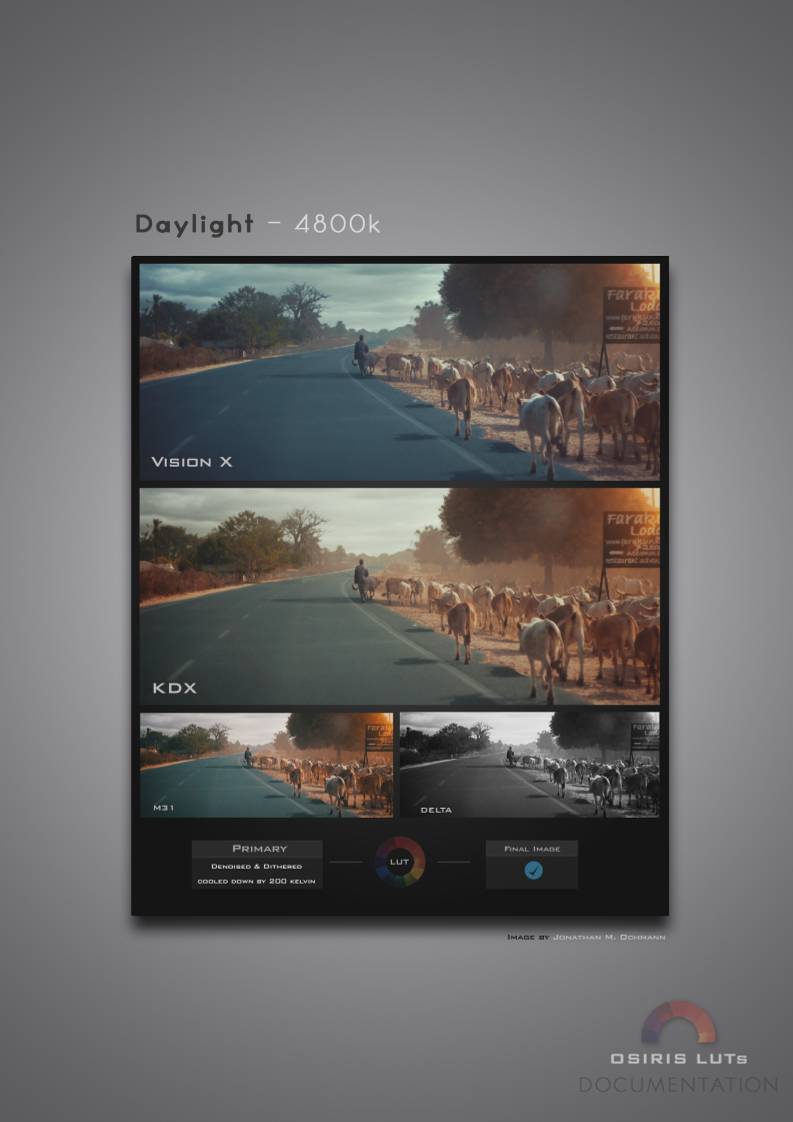
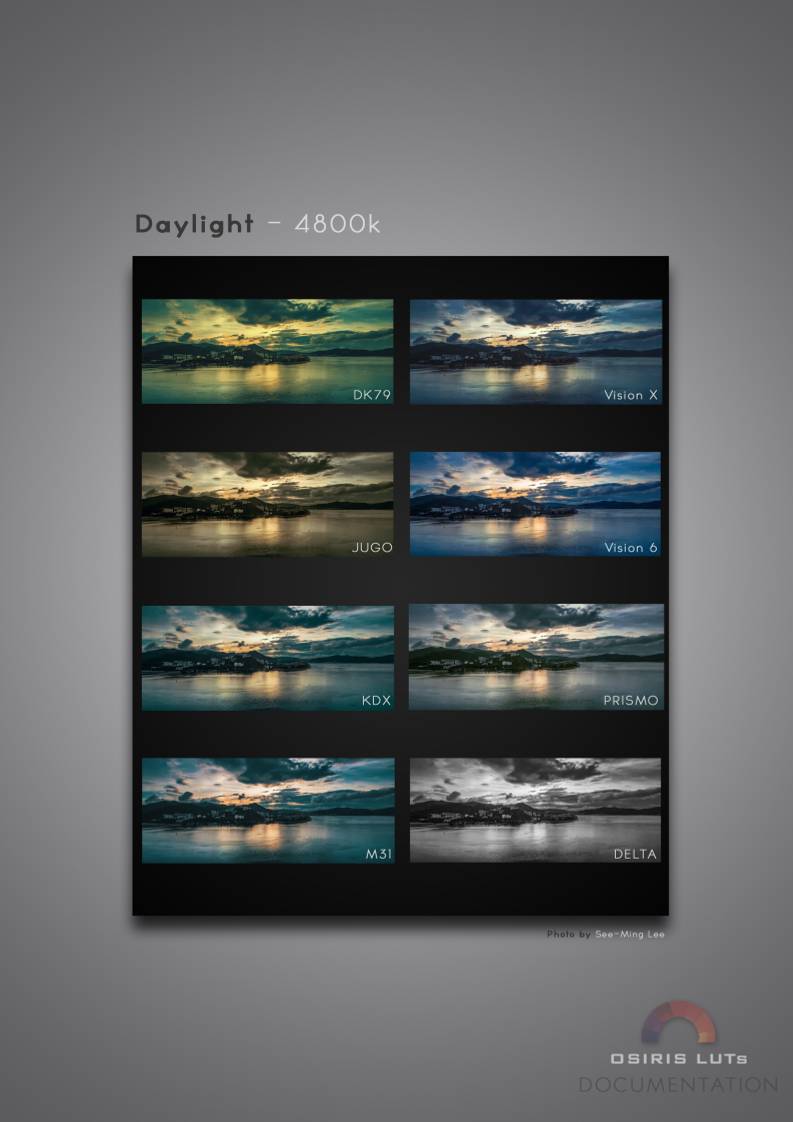
6 Examples*
*Examples don't include Vision 4 Emulation
高速下载:
点击后进入安全下载页,再进行实际下载。下载链接有效期 24 小时,过期会自动刷新。


 设备数据采集
 工程招标采购
 搞笑表情
搞笑表情 微信头像
微信头像 CWMS冷库管理系统
 美女图片
美女图片 APP小游戏
 PPT模板
PPT模板 WMS仓库系统
 软件开发
软件开发