-Copy and paste “initial.lkt” file on desktop or at any other location.
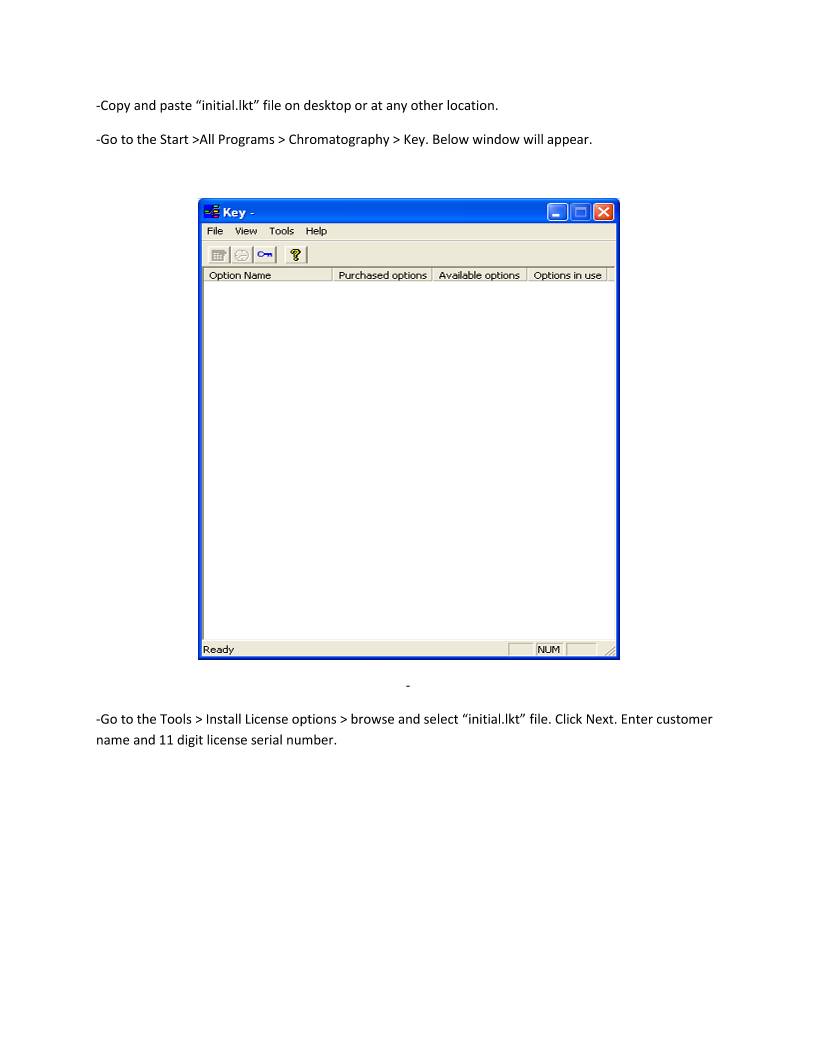
-Go to the Start >All Programs > Chromatography > Key. Below window will appear.


-
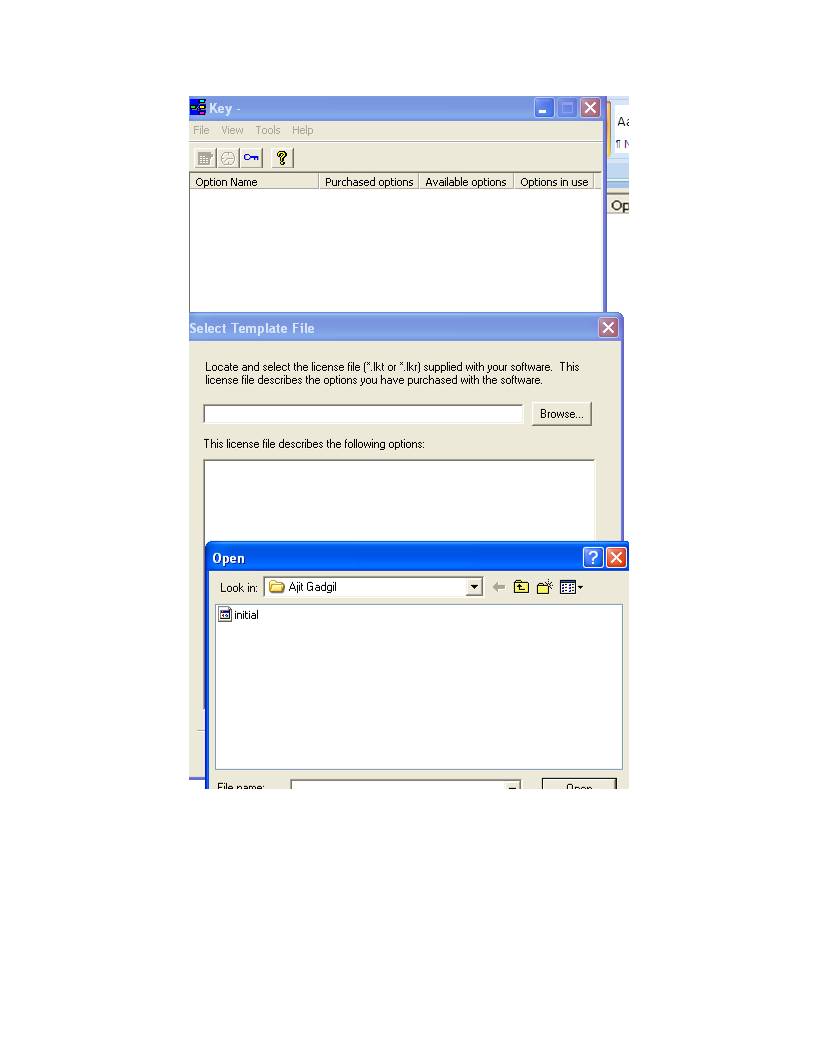
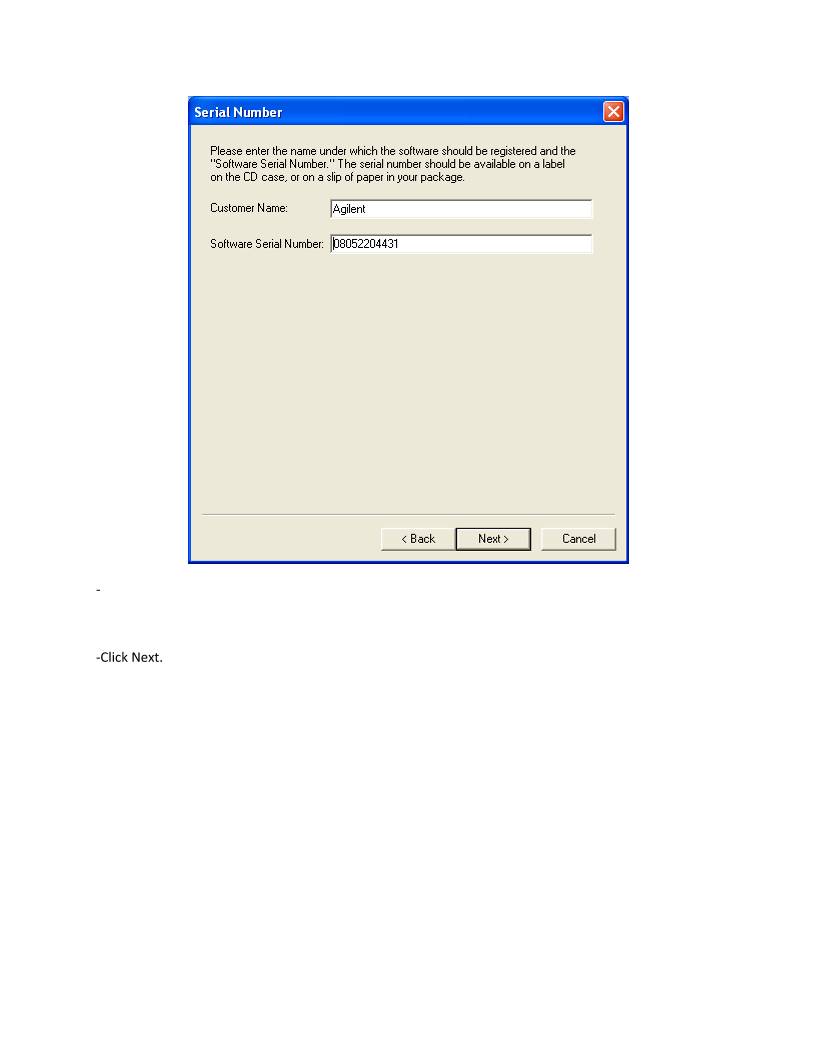
-Go to the Tools > Install License options > browse and select “initial.lkt” file. Click Next. Enter customer
name and 11 digit license serial number.


-

-Click Next.


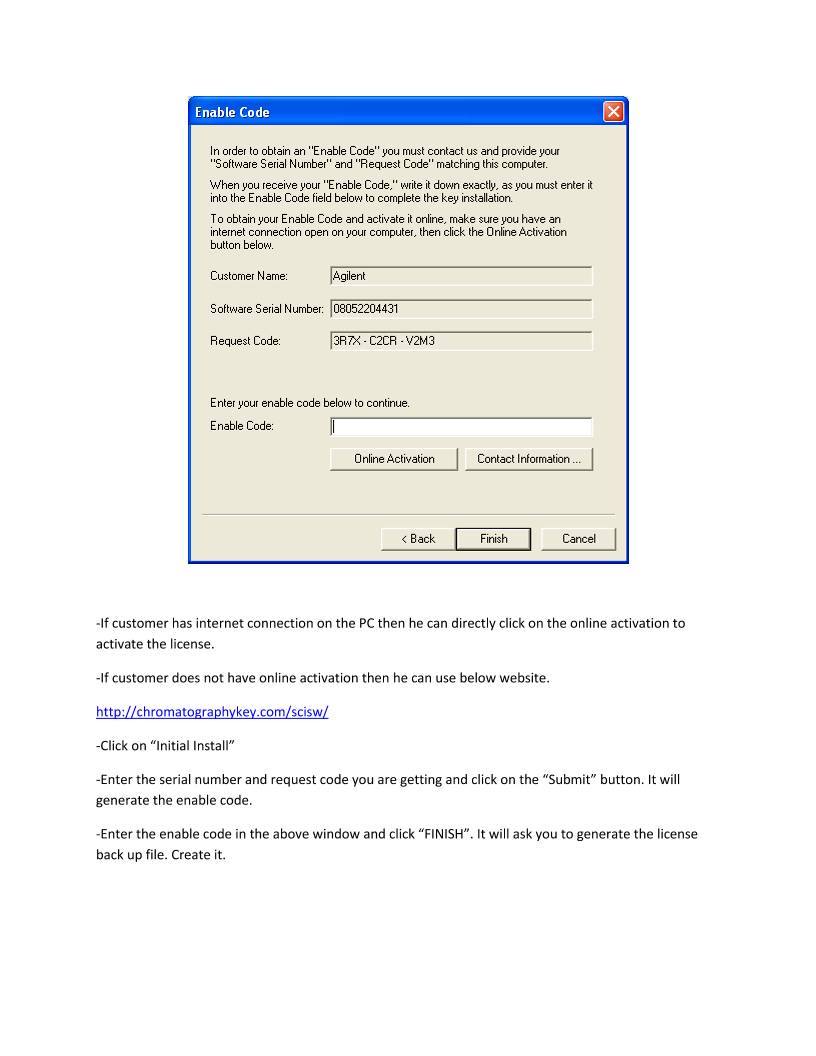
-If customer has internet connection on the PC then he can directly click on the online activation to
activate the license.
-If customer does not have online activation then he can use below website.
http://chromatographykey.com/scisw/
-Click on “Initial Install”
-Enter the serial number and request code you are getting and click on the “Submit” button. It will
generate the enable code.
-Enter the enable code in the above window and click “FINISH”. It will ask you to generate the license
back up file. Create it.


 设备数据采集
 工程招标采购
 搞笑表情
搞笑表情 微信头像
微信头像 CWMS冷库管理系统
 美女图片
美女图片 APP小游戏
 PPT模板
PPT模板 WMS仓库系统
 软件开发
软件开发