Follow the below steps,
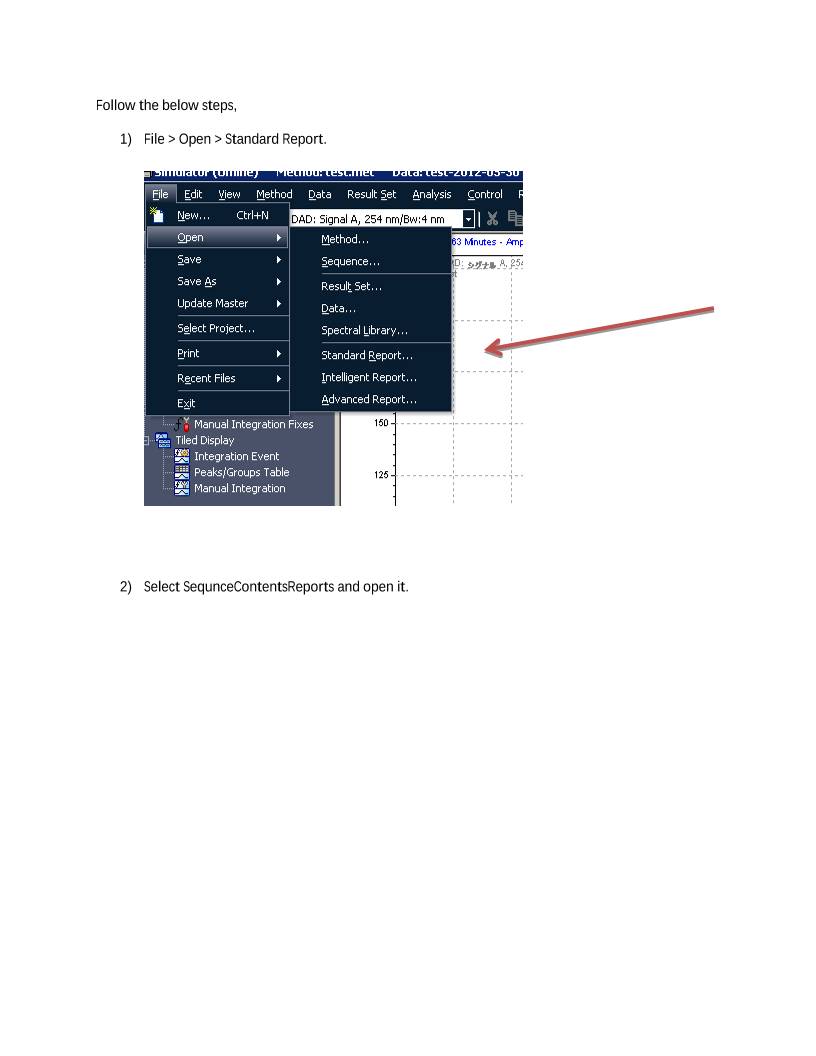
1) File > Open > Standard Report.


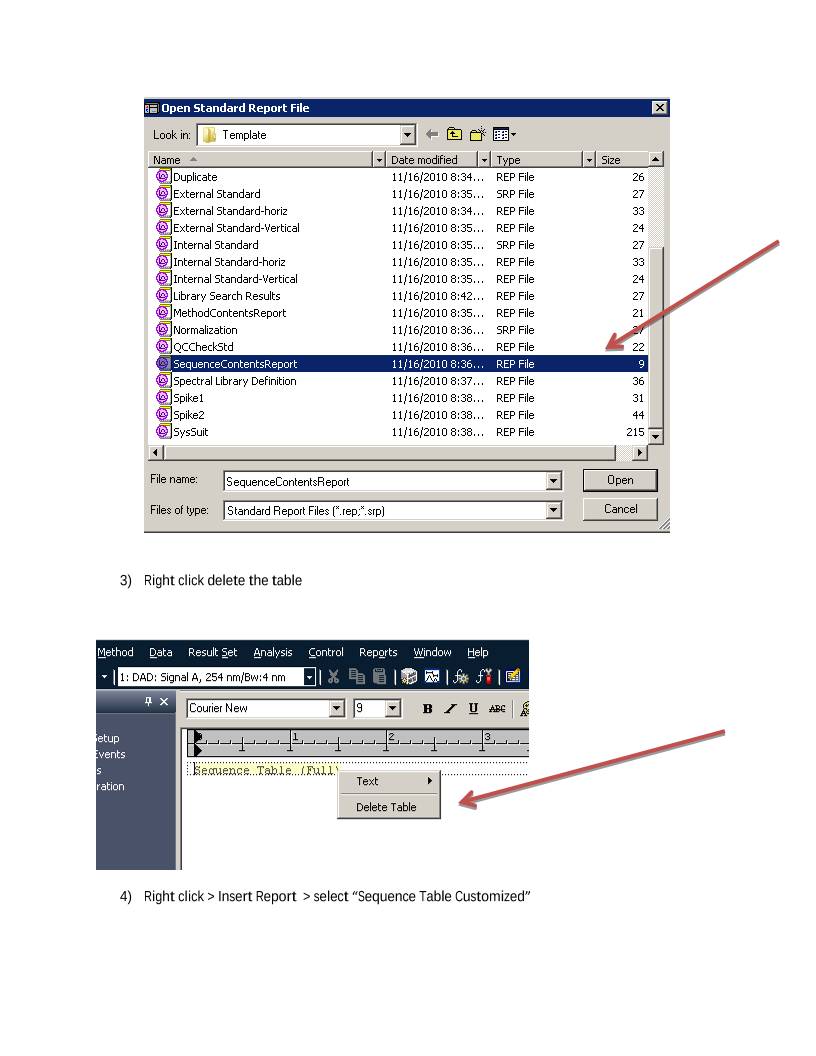
2) Select SequnceContentsReports and open it.


3) Right click delete the table


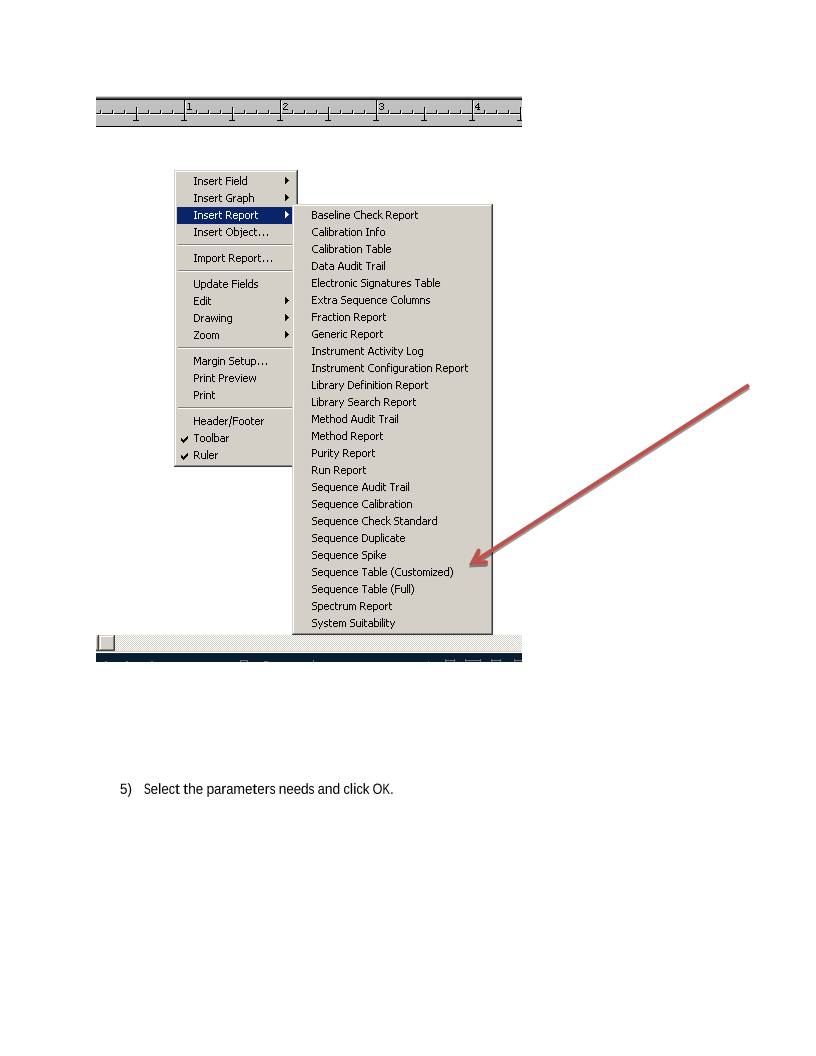
4) Right click > Insert Report  > select “Sequence Table Customized”


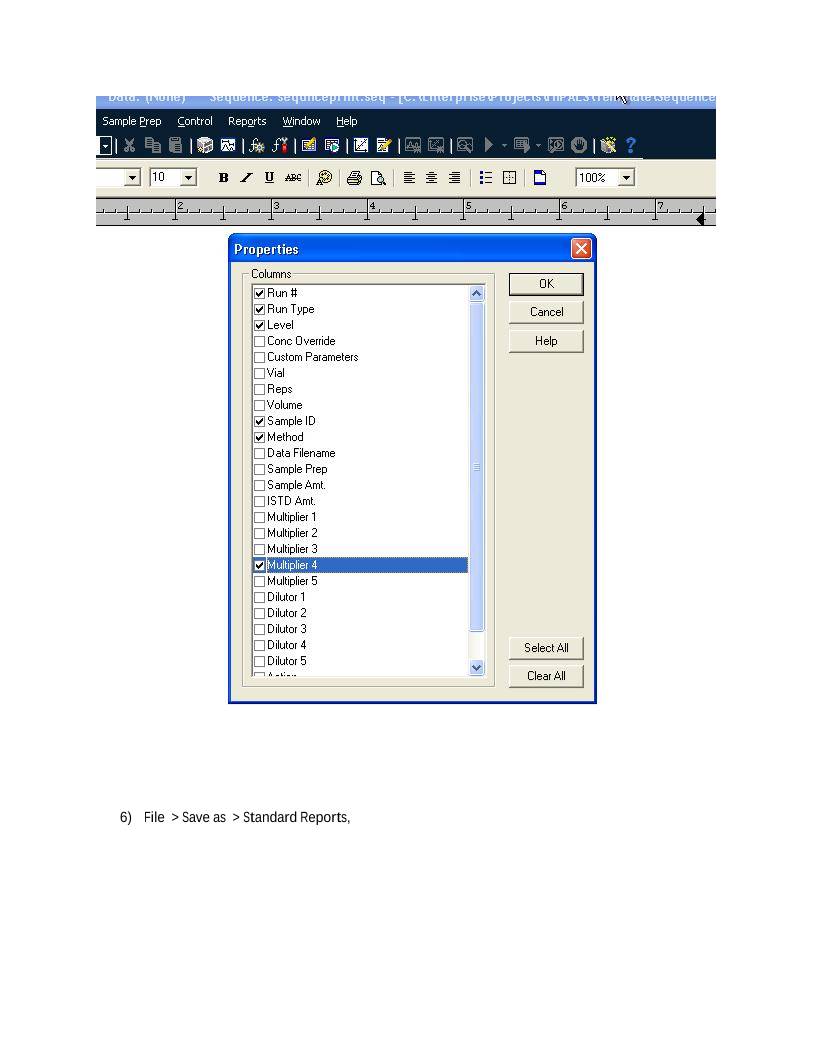
5) Select the parameters needs and click OK.


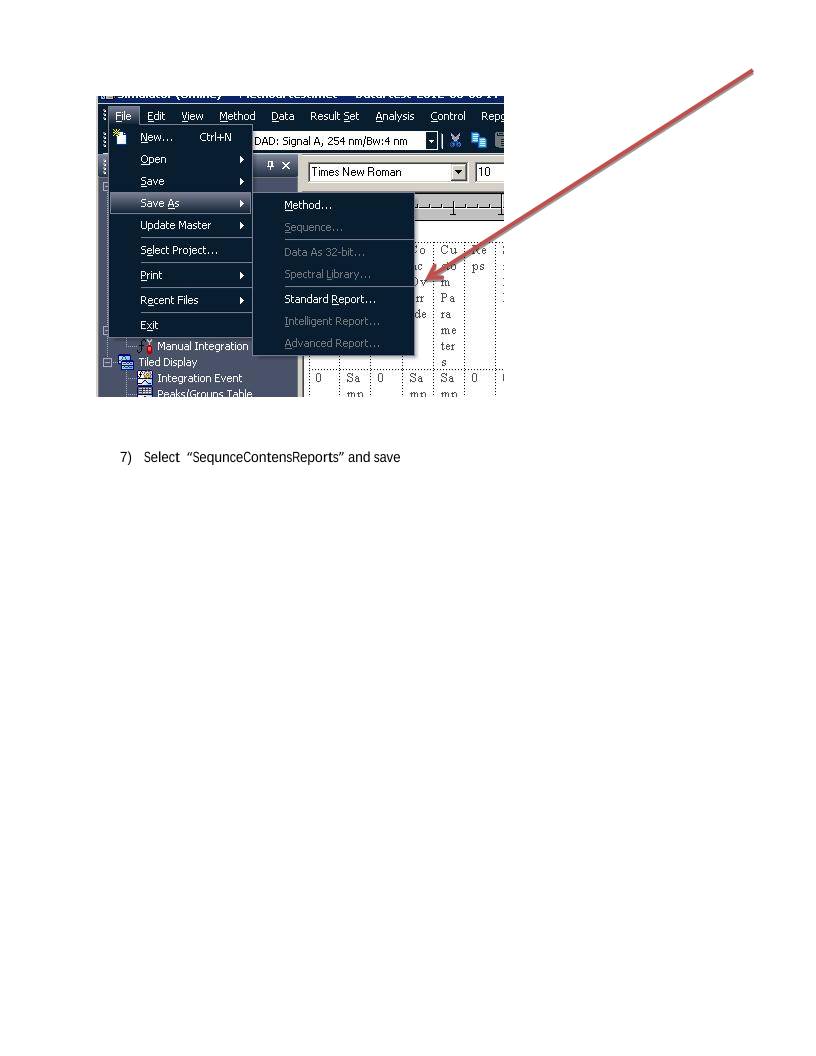
6) File  > Save as  > Standard Reports,


7) Select  “SequnceContensReports” and save


8) Select yes

9) Print Sequence


 设备数据采集
 工程招标采购
 搞笑表情
搞笑表情 微信头像
微信头像 CWMS冷库管理系统
 美女图片
美女图片 APP小游戏
 PPT模板
PPT模板 WMS仓库系统
 软件开发
软件开发