readme_sip_IC_Packaging.pdf
- 文件大小: 42.94KB
- 文件类型: pdf
- 上传日期: 2025-08-23
- 下载次数: 0
概要信息:
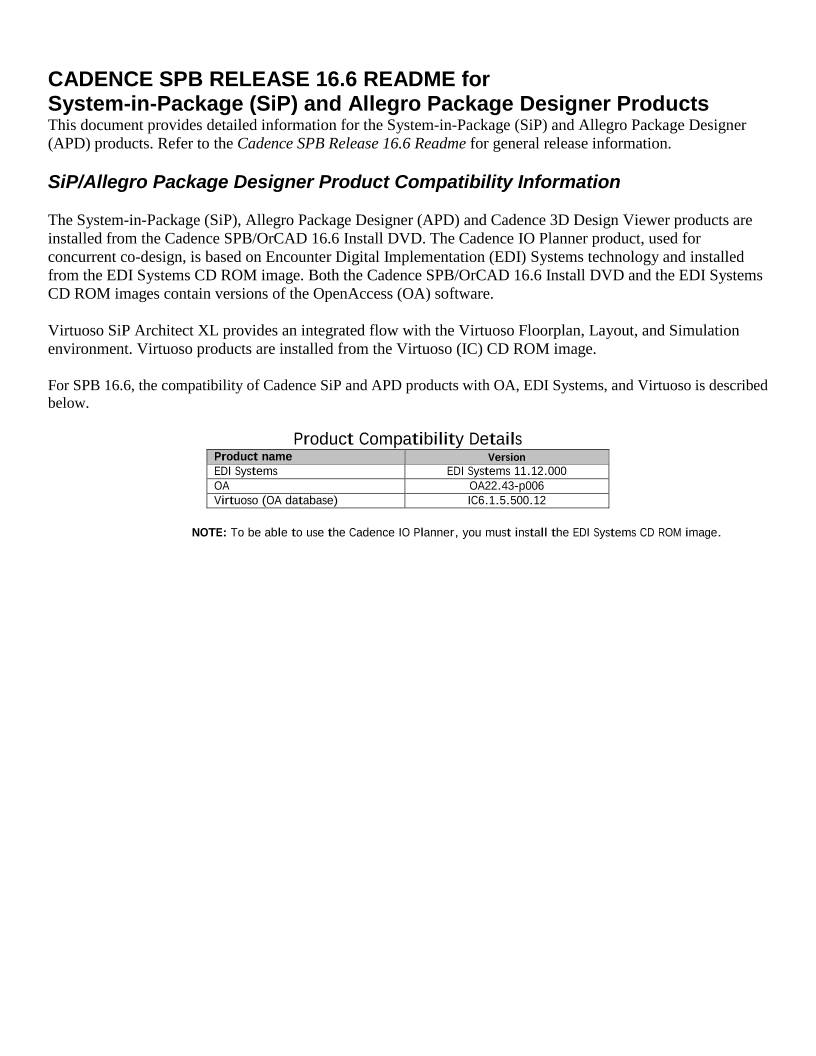
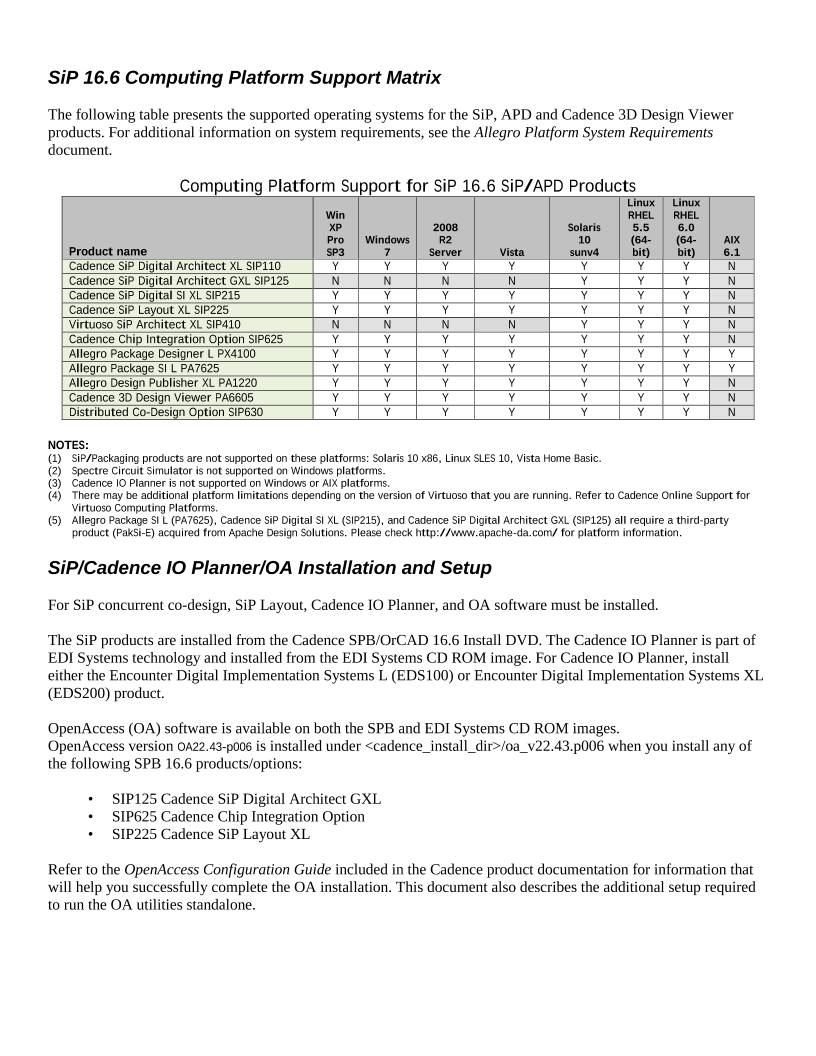
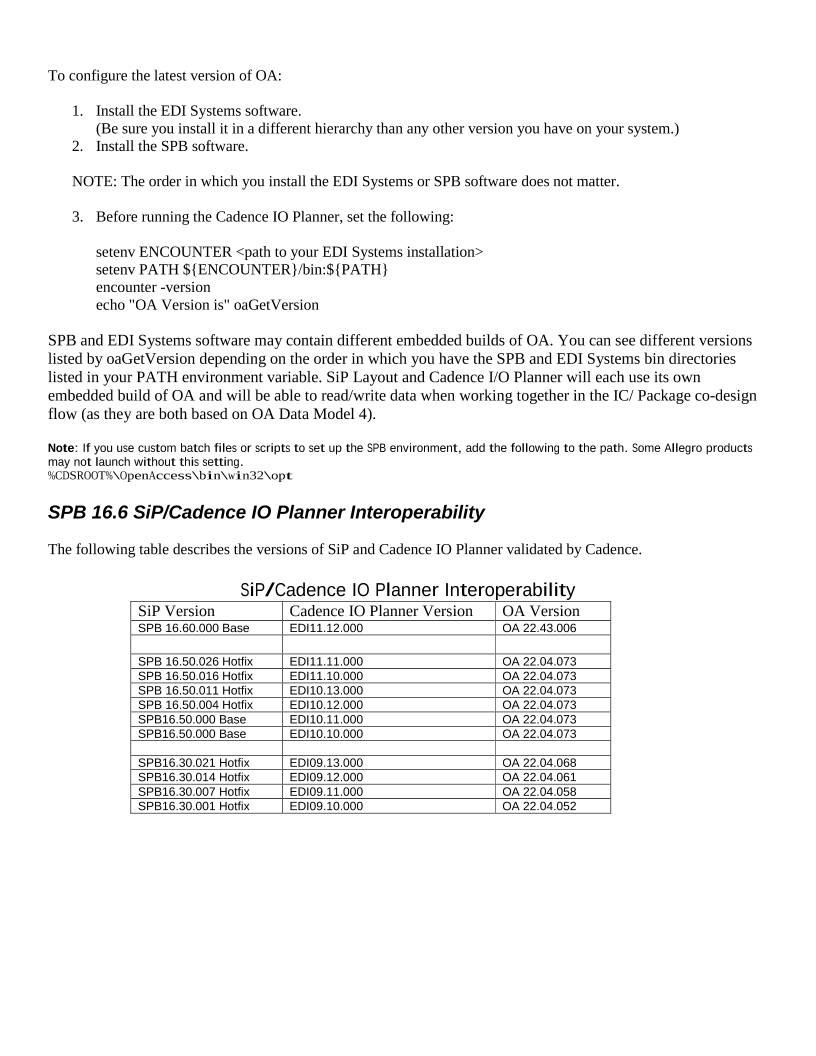
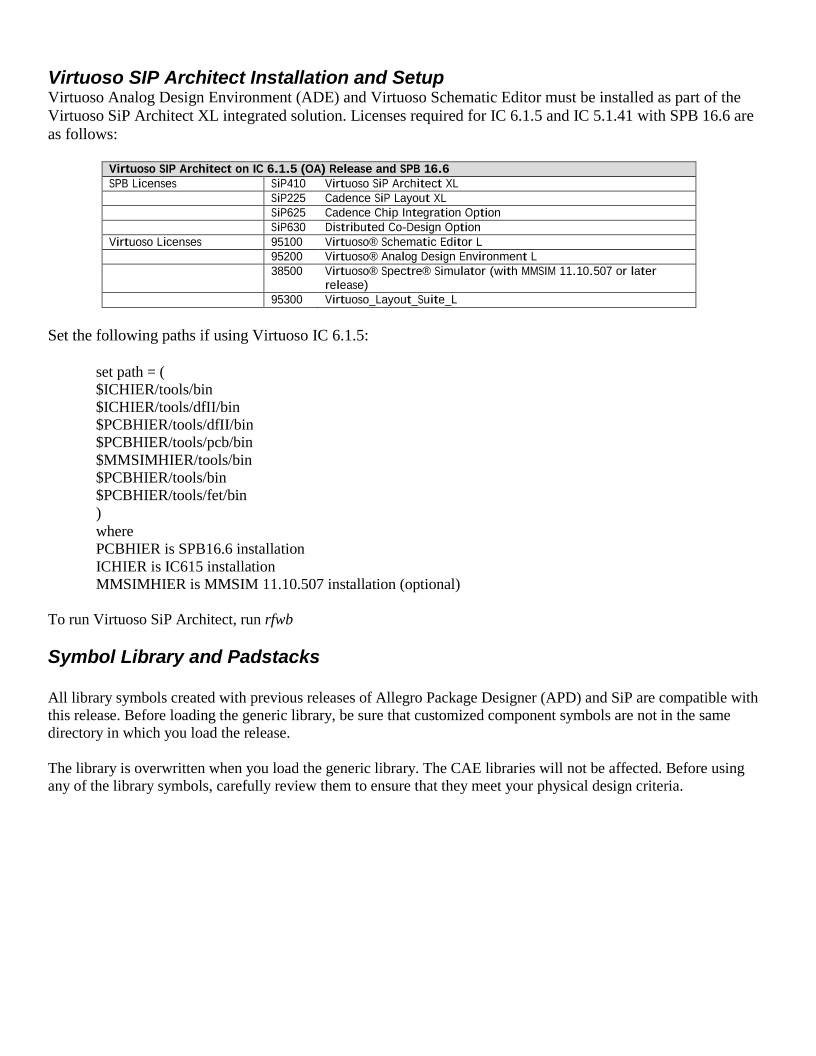
CADENCE SPB RELEASE 16.6 README for System-in-Package (SiP) and Allegro Package Designer Products This document provides detailed information for the System-in-Package (SiP) and Allegro Package Designer (APD) products. Refer to the Cadence SPB Release 16.6 Readme for general release information. SiP/Allegro Package Designer Product Compatibility Information The System-in-Package (SiP), Allegro Package Designer (APD) and Cadence 3D Design Viewer products are installed from the Cadence SPB/OrCAD 16.6 Install DVD. The Cadence IO Planner product, used for concurrent co-design, is based on Encounter Digital Implementation (EDI) Systems technology and installed from the EDI Systems CD ROM image. Both the Cadence SPB/OrCAD 16.6 Install DVD and the EDI Systems CD ROM images contain versions of the OpenAccess (OA) software. Virtuoso SiP Architect XL provides an integrated flow with the Virtuoso Floorplan, Layout, and Simulation environment. Virtuoso products are installed from the Virtuoso (IC) CD ROM image. For SPB 16.6, the compatibility of Cadence SiP and APD products with OA, EDI Systems, and Virtuoso is described below. Product Compatibility Details Product name Version EDI Systems EDI Systems 11.12.000 OA OA22.43-p006 Virtuoso (OA database) IC6.1.5.500.12 NOTE: To be able to use the Cadence IO Planner, you must install the EDI Systems CD ROM image. SiP 16.6 Computing Platform Support Matrix The following table presents the supported operating systems for the SiP, APD and Cadence 3D Design Viewer products. For additional information on system requirements, see the Allegro Platform System Requirements document. Computing Platform Support for SiP 16.6 SiP/APD Products Product name Win XP Pro SP3 Windows 7 2008 R2 Server Vista Solaris 10 sunv4 Linux RHEL 5.5 (64- bit) Linux RHEL 6.0 (64- bit) AIX 6.1 Cadence SiP Digital Architect XL SIP110 Y Y Y Y Y Y Y N Cadence SiP Digital Architect GXL SIP125 N N N N Y Y Y N Cadence SiP Digital SI XL SIP215 Y Y Y Y Y Y Y N Cadence SiP Layout XL SIP225 Y Y Y Y Y Y Y N Virtuoso SiP Architect XL SIP410 N N N N Y Y Y N Cadence Chip Integration Option SIP625 Y Y Y Y Y Y Y N Allegro Package Designer L PX4100 Y Y Y Y Y Y Y Y Allegro Package SI L PA7625 Y Y Y Y Y Y Y Y Allegro Design Publisher XL PA1220 Y Y Y Y Y Y Y N Cadence 3D Design Viewer PA6605 Y Y Y Y Y Y Y N Distributed Co-Design Option SIP630 Y Y Y Y Y Y Y N NOTES: (1) SiP/Packaging products are not supported on these platforms: Solaris 10 x86, Linux SLES 10, Vista Home Basic. (2) Spectre Circuit Simulator is not supported on Windows platforms. (3) Cadence IO Planner is not supported on Windows or AIX platforms. (4) There may be additional platform limitations depending on the version of Virtuoso that you are running. Refer to Cadence Online Support for Virtuoso Computing Platforms. (5) Allegro Package SI L (PA7625), Cadence SiP Digital SI XL (SIP215), and Cadence SiP Digital Architect GXL (SIP125) all require a third-party product (PakSi-E) acquired from Apache Design Solutions. Please check http://www.apache-da.com/ for platform information. SiP/Cadence IO Planner/OA Installation and Setup For SiP concurrent co-design, SiP Layout, Cadence IO Planner, and OA software must be installed. The SiP products are installed from the Cadence SPB/OrCAD 16.6 Install DVD. The Cadence IO Planner is part of EDI Systems technology and installed from the EDI Systems CD ROM image. For Cadence IO Planner, install either the Encounter Digital Implementation Systems L (EDS100) or Encounter Digital Implementation Systems XL (EDS200) product. OpenAccess (OA) software is available on both the SPB and EDI Systems CD ROM images. OpenAccess version OA22.43-p006 is installed under/oa_v22.43.p006 when you install any of the following SPB 16.6 products/options: • SIP125 Cadence SiP Digital Architect GXL • SIP625 Cadence Chip Integration Option • SIP225 Cadence SiP Layout XL Refer to the OpenAccess Configuration Guide included in the Cadence product documentation for information that will help you successfully complete the OA installation. This document also describes the additional setup required to run the OA utilities standalone. To configure the latest version of OA: 1. Install the EDI Systems software. (Be sure you install it in a different hierarchy than any other version you have on your system.) 2. Install the SPB software. NOTE: The order in which you install the EDI Systems or SPB software does not matter. 3. Before running the Cadence IO Planner, set the following: setenv ENCOUNTER setenv PATH ${ENCOUNTER}/bin:${PATH} encounter -version echo "OA Version is" oaGetVersion SPB and EDI Systems software may contain different embedded builds of OA. You can see different versions listed by oaGetVersion depending on the order in which you have the SPB and EDI Systems bin directories listed in your PATH environment variable. SiP Layout and Cadence I/O Planner will each use its own embedded build of OA and will be able to read/write data when working together in the IC/ Package co-design flow (as they are both based on OA Data Model 4). Note: If you use custom batch files or scripts to set up the SPB environment, add the following to the path. Some Allegro products may not launch without this setting. %CDSROOT%\OpenAccess\bin\win32\opt SPB 16.6 SiP/Cadence IO Planner Interoperability The following table describes the versions of SiP and Cadence IO Planner validated by Cadence. SiP/Cadence IO Planner Interoperability SiP Version Cadence IO Planner Version OA Version SPB 16.60.000 Base EDI11.12.000 OA 22.43.006 SPB 16.50.026 Hotfix EDI11.11.000 OA 22.04.073 SPB 16.50.016 Hotfix EDI11.10.000 OA 22.04.073 SPB 16.50.011 Hotfix EDI10.13.000 OA 22.04.073 SPB 16.50.004 Hotfix EDI10.12.000 OA 22.04.073 SPB16.50.000 Base EDI10.11.000 OA 22.04.073 SPB16.50.000 Base EDI10.10.000 OA 22.04.073 SPB16.30.021 Hotfix EDI09.13.000 OA 22.04.068 SPB16.30.014 Hotfix EDI09.12.000 OA 22.04.061 SPB16.30.007 Hotfix EDI09.11.000 OA 22.04.058 SPB16.30.001 Hotfix EDI09.10.000 OA 22.04.052 Virtuoso SIP Architect Installation and Setup Virtuoso Analog Design Environment (ADE) and Virtuoso Schematic Editor must be installed as part of the Virtuoso SiP Architect XL integrated solution. Licenses required for IC 6.1.5 and IC 5.1.41 with SPB 16.6 are as follows: Virtuoso SIP Architect on IC 6.1.5 (OA) Release and SPB 16.6 SPB Licenses SiP410 Virtuoso SiP Architect XL SiP225 Cadence SiP Layout XL SiP625 Cadence Chip Integration Option SiP630 Distributed Co-Design Option Virtuoso Licenses 95100 Virtuoso® Schematic Editor L 95200 Virtuoso® Analog Design Environment L 38500 Virtuoso® Spectre® Simulator (with MMSIM 11.10.507 or later release) 95300 Virtuoso_Layout_Suite_L Set the following paths if using Virtuoso IC 6.1.5: set path = ( $ICHIER/tools/bin $ICHIER/tools/dfII/bin $PCBHIER/tools/dfII/bin $PCBHIER/tools/pcb/bin $MMSIMHIER/tools/bin $PCBHIER/tools/bin $PCBHIER/tools/fet/bin ) where PCBHIER is SPB16.6 installation ICHIER is IC615 installation MMSIMHIER is MMSIM 11.10.507 installation (optional) To run Virtuoso SiP Architect, run rfwb Symbol Library and Padstacks All library symbols created with previous releases of Allegro Package Designer (APD) and SiP are compatible with this release. Before loading the generic library, be sure that customized component symbols are not in the same directory in which you load the release. The library is overwritten when you load the generic library. The CAE libraries will not be affected. Before using any of the library symbols, carefully review them to ensure that they meet your physical design criteria.
缩略图:
高速下载:
正在进行安全检测...
点击后进入安全下载页,再进行实际下载。下载链接有效期 24 小时,过期会自动刷新。
下载说明:
- 文件描述:readme_sip_IC_Packaging.pdf,可用于在线分享与下载使用。
- 文件分类:文档资料
- 用途建议:适用于资料分享、学习交流、办公协作。
- 适合人群:学生、教师、办公人员、项目协作团队。
- 适配系统:Windows、macOS、Android、iOS 均可下载访问。