How+to+install+license+简洁版.pdf
- 文件大小: 148.09KB
- 文件类型: pdf
- 上传日期: 2025-08-17
- 下载次数: 0
概要信息:
-Copy and paste “initial.lkt” file on desktop or at any other location.
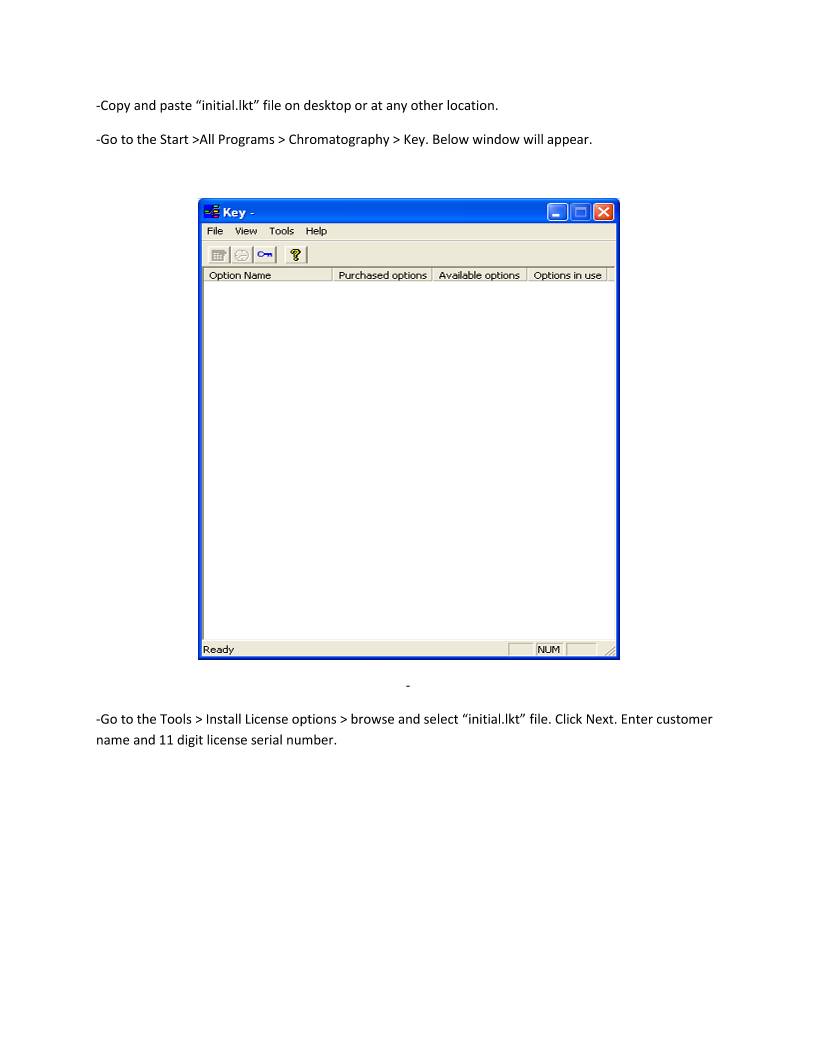
-Go to the Start >All Programs > Chromatography > Key. Below window will appear.


-
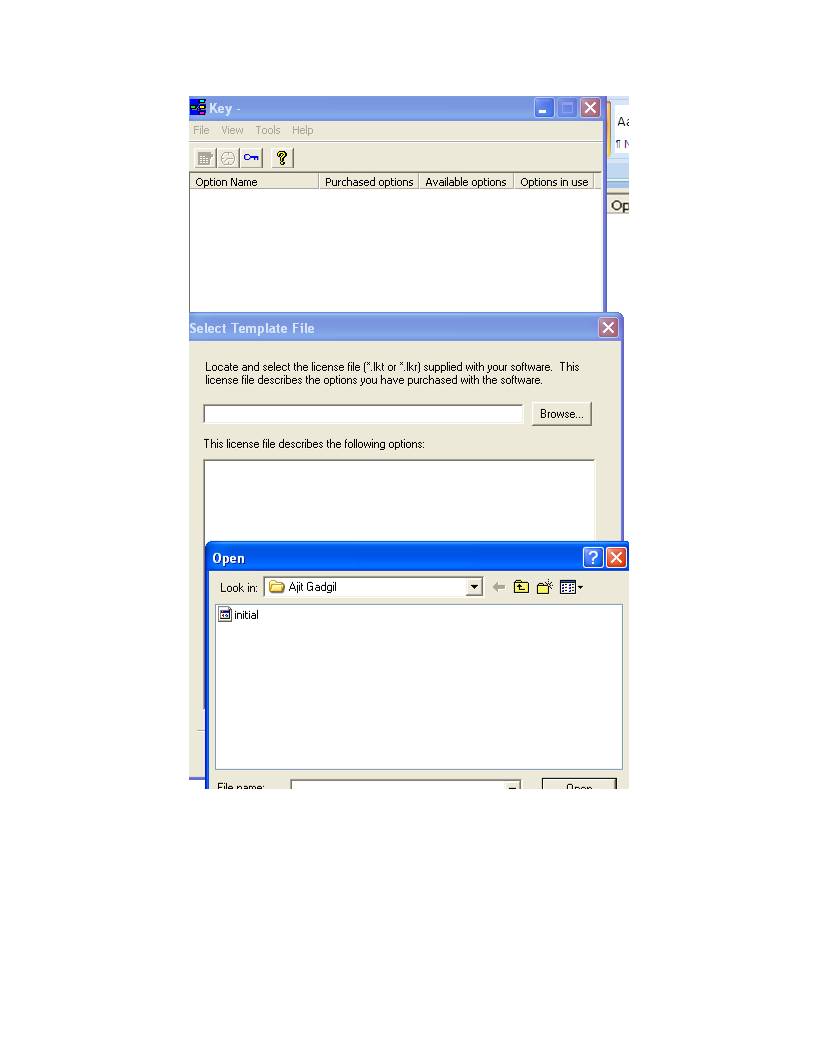
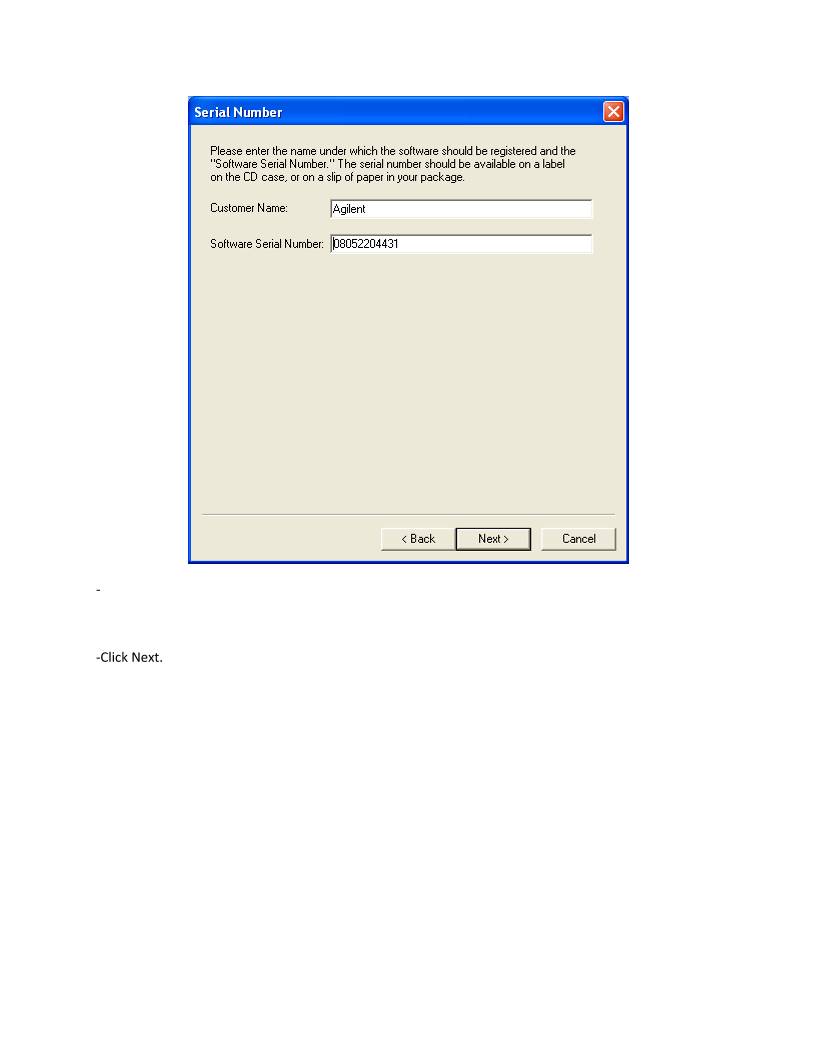
-Go to the Tools > Install License options > browse and select “initial.lkt” file. Click Next. Enter customer
name and 11 digit license serial number.


-

-Click Next.


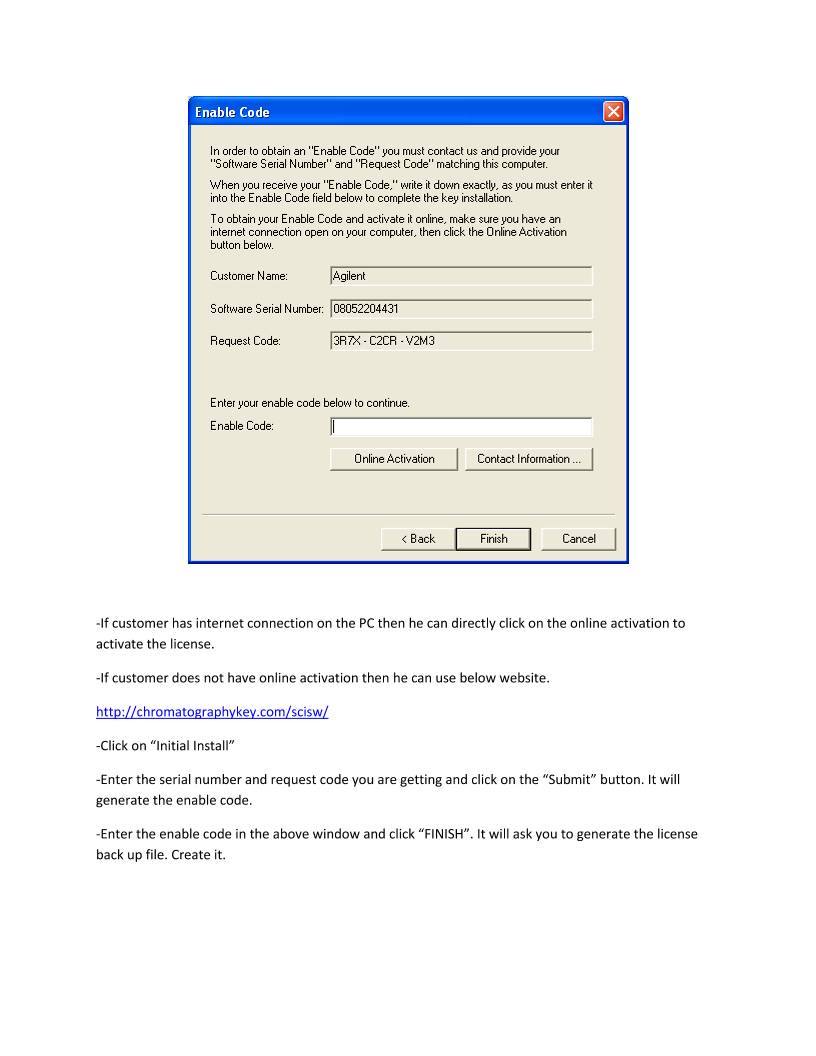
-If customer has internet connection on the PC then he can directly click on the online activation to
activate the license.
-If customer does not have online activation then he can use below website.
http://chromatographykey.com/scisw/
-Click on “Initial Install”
-Enter the serial number and request code you are getting and click on the “Submit” button. It will
generate the enable code.
-Enter the enable code in the above window and click “FINISH”. It will ask you to generate the license
back up file. Create it.
缩略图:
高速下载:
正在进行安全检测...
点击后进入安全下载页,再进行实际下载。下载链接有效期 24 小时,过期会自动刷新。
下载说明:
- 文件描述:How+to+install+license+简洁版.pdf,可用于在线分享与下载使用。
- 文件分类:文档资料
- 用途建议:适用于资料分享、学习交流、办公协作。
- 适合人群:学生、教师、办公人员、项目协作团队。
- 适配系统:Windows、macOS、Android、iOS 均可下载访问。